
Interop 2026
 CSS-Tricks
·
Feb 17, 2026
·
article
CSS-Tricks
·
Feb 17, 2026
·
article
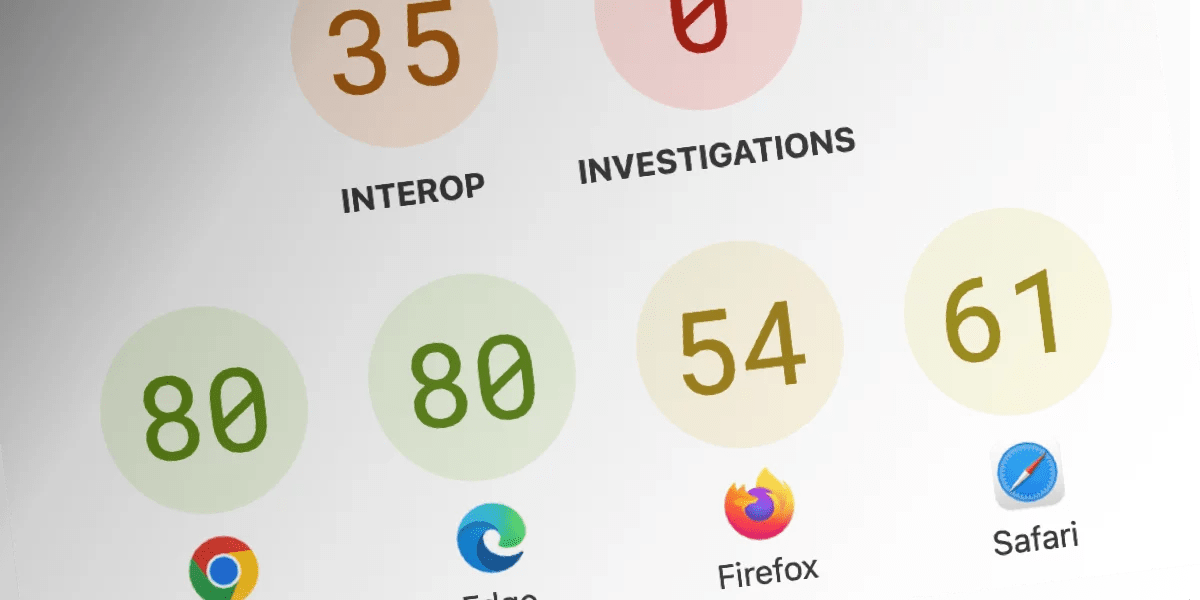
Interop 2026 is formally a thing. So, you know all of those wild, new CSS features we’re always poking at but always putting under a “lack of browser support” caveat? The Big Three — Blink (Chrome/Edge), WebKit (Safari), and Mozilla (Firefox) — are working together to bring full and consistent support to them!
You can read the blog posts yourself:
- Interop 2026: Continuing to improve the web for developers (web.dev)
- Announcing Interop 2026 (WekBit Blog)
- Launching Interop 2026 (Mozilla)
An, yes, there’s plenty to get excited about specifically for CSS:
Anchor positioning
From our guide:
CSS Anchor Positioning gives us a simple interface to attach elements next to others just by saying which sides to connect — directly in CSS. It also lets us set a fallback position so that we can avoid the overflow issues we just described.
anchor positioning
Article on Apr 28, 2025
Anchor Positioning Just Don’t Care About Source Order
accessibility anchor positioning positioning
Article on Sep 10, 2024
Anchor Positioning Quirks
anchor positioning
Article on Oct 2, 2024
CSS Anchor Positioning Guide
Interest Invoker API popover
Article on Jul 23, 2025
A First Look at the Interest Invoker API (for Hover-Triggered Popovers)
anchor positioning Links & URLs
Article on Jan 17, 2025
Fancy Menu Navigation Using Anchor Positioning

Advanced attr()
We’ve actually had the attr() function for something like 15 years. But now we’re gonna be able to pass variables in there… with type conversion!
Almanac on Mar 27, 2025
attr()
.element { color: attr(data-color type()); }

charts data visualization
Article on Feb 5, 2026
CSS Bar Charts Using Modern Functions

attr() custom properties
Article on Nov 2, 2017
The CSS attr() function got nothin’ on custom properties

Container style queries
We can already query containers by “type” but only by size. It’ll be so much cooler when we can apply styles based on other styles. Say:
@container style((font-style: italic) and (--color-mode: light)) {
  em, i, q {
    background: lightpink;
  }
}
container-queries
Article on Jun 9, 2021
A Cornucopia of Container Queries
container-queries
Article on Oct 12, 2022
Early Days of Container Style Queries
container-queries
Article on Dec 1, 2022
Digging Deeper Into Container Style Queries
Scroll Driven Animation Style Queries
Article on Mar 31, 2025
Worlds Collide: Keyframe Collision Detection Using Style Queries

container-queries
Article on Jun 10, 2024
CSS Container Queries
The contrast-color() function
Getting the right color contrast between foreground text and background can be easy enough, but it’s been more of a manual type thing that we might switch with a media query based on the current color scheme. With contrast-color() (I always want to write that as color-contrast(), maybe because that was the original name) we can dynamically toggle the color between white and black.
button {
  --background-color: darkblue;
  background-color: var(--background-color);
  color: contrast-color(var(--background-color));
}
color-contrast() safari
Article on Apr 26, 2021
Exploring color-contrast() for the First Time
accessibility color CSS functions
Article on Jun 5, 2025
Exploring the CSS contrast-color() Function… a Second Time
color CSS functions
Link on Oct 8, 2025
The thing about contrast-color
accessibility color color-contrast() relative color
Article on Feb 11, 2026
Approximating contrast-color() With Other CSS Features

Custom Highlights
Highlight all the things! We’ve had ::selection forever, but now we’ll have a bunch of others:
| Pseudo-selector | Selects… | Notes |
|---|---|---|
::search-text |
Find-in-page matches | ::search-text:currentselects the current target |
::target-text |
Text fragments | Text fragments allow for programmatic highlighting using URL parameters. If you’re referred to a website by a search engine, it might use text fragments, which is why ::target-text is easily confused with ::search-text. |
::selection |
Text highlighted using the pointer | |
::highlight() |
Custom highlights as defined by JavaScript’s Custom Highlight API | |
::spelling-error |
Incorrectly spelled words | Pretty much applies to editable content only |
::grammar-error |
Incorrect grammar | Pretty much applies to editable content only |
::selection custom highlight api selecting text
Article on Mar 1, 2022
CSS Custom Highlight API: The Future of Highlighting Text Ranges on the Web

pseudo elements
Article on Jan 28, 2026
Styling ::search-text and Other Highlight-y Pseudo-Elements
Dialogs and popovers
Finally, a JavaScript-less (and declarative) way to set elements on the top layer! We’ve really dug into these over the years.
accessibility dialog popover
Article on Oct 23, 2024
Clarifying the Relationship Between Popovers and Dialogs

popover
Article on Jun 26, 2024
Poppin’ In
accessibility dialog modal
Article on Jan 26, 2026
There is No Need to Trap Focus on a Dialog Element
game popover
Article on Jul 25, 2024
Pop(over) the Balloons

anchor positioning popover WordPress
Article on Feb 19, 2025
Working With Multiple CSS Anchors and Popovers Inside the WordPress Loop
popover
Article on Jun 9, 2025
Creating an Auto-Closing Notification With an HTML Popover
Interest Invoker API popover
Article on Jul 23, 2025
A First Look at the Interest Invoker API (for Hover-Triggered Popovers)
dialog
Article on Jun 3, 2025
Getting Creative With HTML Dialog

dialog modal pseudo elements
Link on Jan 15, 2018
Meet the New Dialog Element

css properties dialog
Link on Dec 1, 2025
Prevent a page from scrolling while a dialog is open
attributes dialog popover
Article on Nov 20, 2024
Invoker Commands: Additional Ways to Work With Dialog, Popover… and More?
accessibility dialog
Article on Oct 7, 2019
Some Hands-On with the HTML Dialog Element
Media pseudo-classes
How often have you wanted to style an <audio> or <video> element based on its state? Perhaps with, JavaScript, right? We’ll have several states in CSS to work off:
:playing:paused:seeking:buffering:stalled:muted:volume-locked
I love this example from the WebKit announcement:
video:buffering::after {
  content: "Loading...";
}
Scroll-driven animations
OK, we all want this one. We’re talking specifically about animation that responds to scrolling. In other words, there’s a direct link between scrolling progress and the animation’s progress.
#progress {
  animation: grow-progress linear forwards;
  animation-timeline: scroll();
}
carousel
Article on May 15, 2025
Scroll-Driven Animations Inside a CSS Carousel
position Scroll Driven Animation
Article on Jul 11, 2025
Scroll-Driven Sticky Heading

animation Scroll Driven Animation
Article on Aug 6, 2025
Bringing Back Parallax With Scroll-Driven CSS Animations

Scroll Driven Animation
Article on May 5, 2025
Modern Scroll Shadows Using Scroll-Driven Animations
Scroll Driven Animation
Link on Feb 13, 2025
Scroll Driven Animations Notebook
animation Scroll Driven Animation
Article on Oct 21, 2024
Unleash the Power of Scroll-Driven Animations
Scroll Driven Animation
Article on Sep 27, 2024
Slide Through Unlimited Dimensions With CSS Scroll Timelines
Scroll Driven Animation
Article on Nov 1, 2024
Web-Slinger.css: Like Wow.js But With CSS-y Scroll Animations
Scroll snapping
Nothing new here, but bringing everyone in line with how the specs have changed over the years!
Almanac on Feb 13, 2019
scroll-margin
.scroll-element { scroll-margin: 50px 0 0 50px; }

Almanac on Feb 12, 2019
scroll-padding
.scroll-element{ scroll-padding: 50px 0 0 50px; }
Almanac on Feb 21, 2019
scroll-snap-align
.element { scroll-snap-align: start; }
Almanac on Mar 7, 2019
scroll-snap-stop
.element { scroll-snap-stop: always; }
Almanac on Feb 4, 2019
scroll-snap-type
.scroll-element { scroll-snap-type: y mandatory; }
public speaking scroll-snap
Article on Feb 7, 2022
CSS Scroll Snap Slide Deck That Supports Live Coding

scroll-snap twitter user styles
Article on Aug 5, 2022
How I Added Scroll Snapping To My Twitter Timeline

scroll-snap
Link on Mar 27, 2020
How to use CSS Scroll Snap
scroll-snap
Article on Mar 2, 2016
Introducing CSS Scroll Snap Points

scroll-snap scrolling
Article on Aug 15, 2018
Practical CSS Scroll Snapping

The shape() function
This is one that Temani has been all over lately and his SVG Path to Shape Converter is a must-bookmark. The shape() can draw complex shapes when clipping elements with the clip-path property. We’ve had the ability to draw basic shapes for years — think circle, ellipse(), and polygon() — but no “easy” way to draw more complex shapes. And now we have something less SVG-y that accepts CSS-y units, calculations, and whatnot.
.clipped {
  width: 250px;
  height: 100px;
  box-sizing: border-box;
  background-color: blue;
  clip-path: shape(
    from top left,
    hline to 100%,
    vline to 100%,
    curve to 0% 100% with 50% 0%,
  );
}
CSS functions
Article on May 2, 2025
CSS shape() Commands
art clip-path CSS functions css shapes
Article on May 23, 2025
Better CSS Shapes Using shape() — Part 1: Lines and Arcs
art clip-path CSS functions css shapes
Article on May 30, 2025
Better CSS Shapes Using shape() — Part 2: More on Arcs
art clip-path CSS functions css shapes
Article on Jun 6, 2025
Better CSS Shapes Using shape() — Part 3: Curves
art clip-path CSS functions css shapes
Article on Jul 7, 2025
Better CSS Shapes Using shape() — Part 4: Close and Move
CSS functions resource shapes
Link on May 21, 2025
SVG to CSS Shape Converter
View transitions
There are two types of view transitions: same-document (transitions on the same page) and cross-document (or what we often call multi-page transitions). Same-page transitions went Baseline in 2025 and now browsers are working to be cross-compatible implementations of cross-document transitions.
view transitions
Article on Feb 21, 2025
Toe Dipping Into View Transitions
view transitions
Article on Jan 29, 2025
What on Earth is the types Descriptor in View Transitions?
view transitions
Almanac on Jun 7, 2024
::view-transition
::view-transition { position: fixed; }

view transitions
Almanac on Jun 12, 2024
::view-transition-group
::view-transition-group(transition-name) { animation-duration: 1.25s; }
view transitions
Almanac on Jun 14, 2024
::view-transition-image-new
::view-transition-image-new(*) { animation-duration: 700ms; }
view transitions
Almanac on
::view-transition-image-old
::view-transition-image-old(*) { animation-duration: 700ms; }
view transitions
Almanac on
::view-transition-image-pair
::view-transition-image-pair(root) { animation-duration: 1s; }
view transitions
Almanac on Jan 22, 2026
::view-transition-new()
::view-transition-new(item) { animation-name: fade-in; }
 Sunkanmi Fafowora
view transitions
Almanac on
::view-transition-old()
::view-transition-old(item) { animation-name: fade-out; }
Sunkanmi Fafowora
view transitions
Almanac on Jan 22, 2025
@view-transition
@view-transition { navigation: auto; }
 Juan Diego Rodríguez
Almanac on Jul 2, 2025
view()
.element { animation-timeline: view(); }
 Saleh Mubashar
view transitions
Almanac on Jan 20, 2026
view-transition-class
.element { view-transition-class: bearhugs; }
Sunkanmi Fafowora
view transitions
Almanac on May 29, 2024
view-transition-name
.element { view-transition-name: image-zoom; }
CSS zoom property
Oh, I wasn’t expecting this! I mean, we’ve had zoom for years — our Almanac page was published back in 2011 — but as a non-standard property. I must have overlooked that it was Baseline 2024 newly available and worked on as part of Interop 2025. It’s carrying over into this year.
zoom is sorta like the scale() function, but it actually affects the layout whereas scale() it’s merely visual and will run over anything in its way.
That’s a wrap! Bookmark the Interop 2026 Dashboard to keep tabs on how things are progressing along.
Interop 2026 originally published on CSS-Tricks, which is part of the DigitalOcean family. You should get the newsletter.
https://css-tricks.com/interop-2026/