
Retrieve record display value or number in ATF
 New article articles in ServiceNow Community
·
Dec 30, 2024
·
article
New article articles in ServiceNow Community
·
Dec 30, 2024
·
article
 Ankur Bawiskar
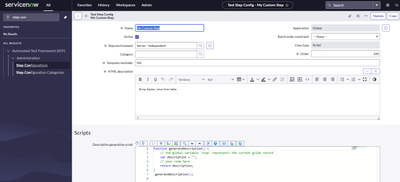
Many a times there is a requirement to get the record's display value or number in ATF.
But when we use Record Query step OOB it gives output as record sysId and not the display value of that record.
As a workaround we can create a custom server side script step and use the script to get the output.
This can then be used in the ATF Test we create.
Example below:
1) Create a custom script step

2) Define the input and output variable for this step


Step Execution Script:
(function executeStep(inputs, outputs, stepResult, timeout) { var recordSysId = inputs.u_sysid var gr = new GlideRecord("incident"); gr.addQuery("sys_id", recordSysId); gr.query(); if (gr.next()) { outputs.u_number = gr.getDisplayValue(); stepResult.setOutputMessage('Found the record'); stepResult.setSuccess(); } else { stepResult.setOutputMessage('Record not found'); stepResult.setFailed(); } }(inputs, outputs, stepResult, timeout));
For my testing: I used these steps and it worked and gave me the number taking sysId as input


Output:

Test Result Output:

https://www.servicenow.com/community/service-operations-workspace/retrieve-record-display-value-or-number-in-atf/ta-p/3137338