
Service Operations Workspace – How to add a custom icon below “Home” on the sidebar panel?
 New article articles in ServiceNow Community
·
Dec 16, 2024
·
article
New article articles in ServiceNow Community
·
Dec 16, 2024
·
article
 Sujatha V M
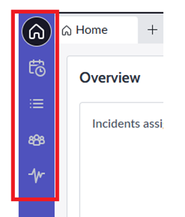
In this article, we will see how to configure a custom icon on the sidebar panel of the Service Operations Workspace landing page.

➡️ Navigate to Experiences -> and select “Service Operations Workspace” from UX Applications.

➡️ Make sure the “Application” is as per the scope you wanted it to be added.
➡️ Open the record and navigate to “UX Page Properties” related list and access “chrome_toolbar”.

➡️ Append the below script for accessing the quick links from the side bar panel on the landing page.

➡️ Refresh the landing page and the new icon gets added below the home icon. By clicking on this icon, it routes to the respective page.
Note: Make sure the route id matches the page and the mention the order accordingly for the positioning of the icon.

Kindly mark this article as "Helpful" if this resolves your query.
@Servicenow #ServiceNow #ServiceOperationsWorkspace #ServiceNowCommunity
https://www.servicenow.com/community/service-operations-workspace/service-operations-workspace-how-to-add-a-custom-icon-below-home/ta-p/3128176