
CI Operational Status vs Install Status in the CMDB
 davidmac.pro
·
Feb 21, 2026
·
article
davidmac.pro
·
Feb 21, 2026
·
article
Operational Status vs Install Status
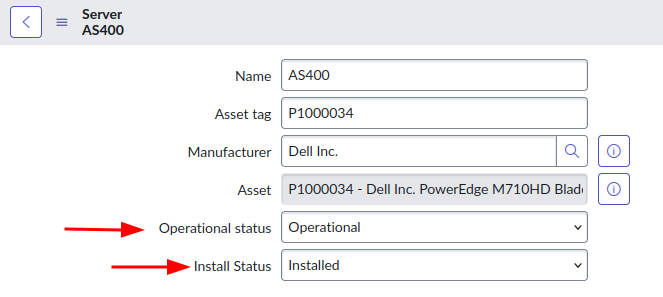
- "Operational status" denotes the operational or working status of the CI. This field is available for all CI classes, and is not synced between CI and Asset.
- "Install Status" denotes the status of the CI's physical hardware. This field is available for all CI classes, and is synced between the CI and the linked Asset.
If in doubt, use the Operational Status field to set the status of a CI. Leave the Install Status field for the Asset Management team to maintain.
Example 1 – a network router
In this example, you have a physical network router mounted in a rack in a datacenter.
The Operational status denotes the status of the router as it fits into the rest of the infrastructure. E.g. "Operational" or "DR Standby".
The Install status denotes the status of the hardware itself. E.g. "Installed".
Example 2 – a virtual server
In this example, you have a virtualized server within a VMware cloud of virtualized infrastructure.
The Operational status denotes the status of the virtual machine. E.g. "Operational".
The Install status doesn't really matter in this example, because the device is virtual. Typically, there will be a Hardware Asset created automatically with the "Manufacturer" of "VMware", however its use is entirely optional.
Example 3 – a Service Offering
In this example, you have a non-technical CI such as a Service Offering.
The Operational status denotes the status of the Service Offering. E.g. "Retired".
Although the Install status field is available for these CI classes, it doesn't make much sense to use them.
Do they sync with each other?
No, changes to either the Operational Status or Install Status fields will not update or sync with each other.
If a CI's Operational Status is "Operational" and the Install Status is changed from "In use" to "Stolen", the Operational Status will remain as "Operational".
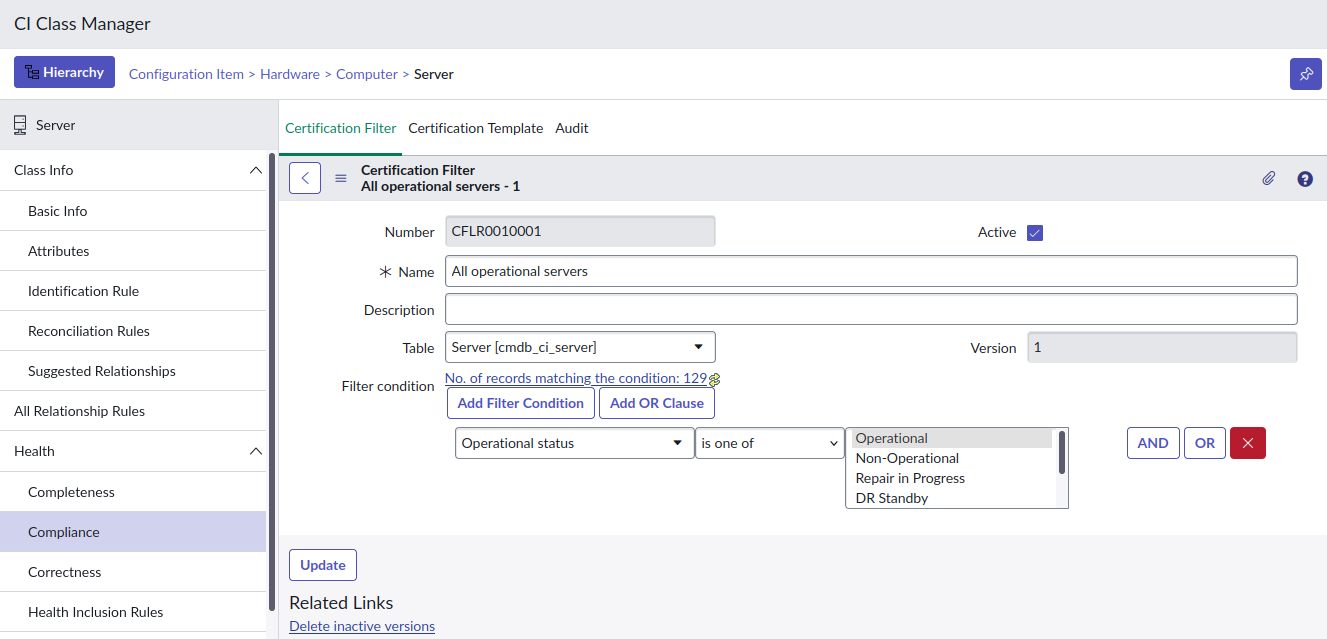
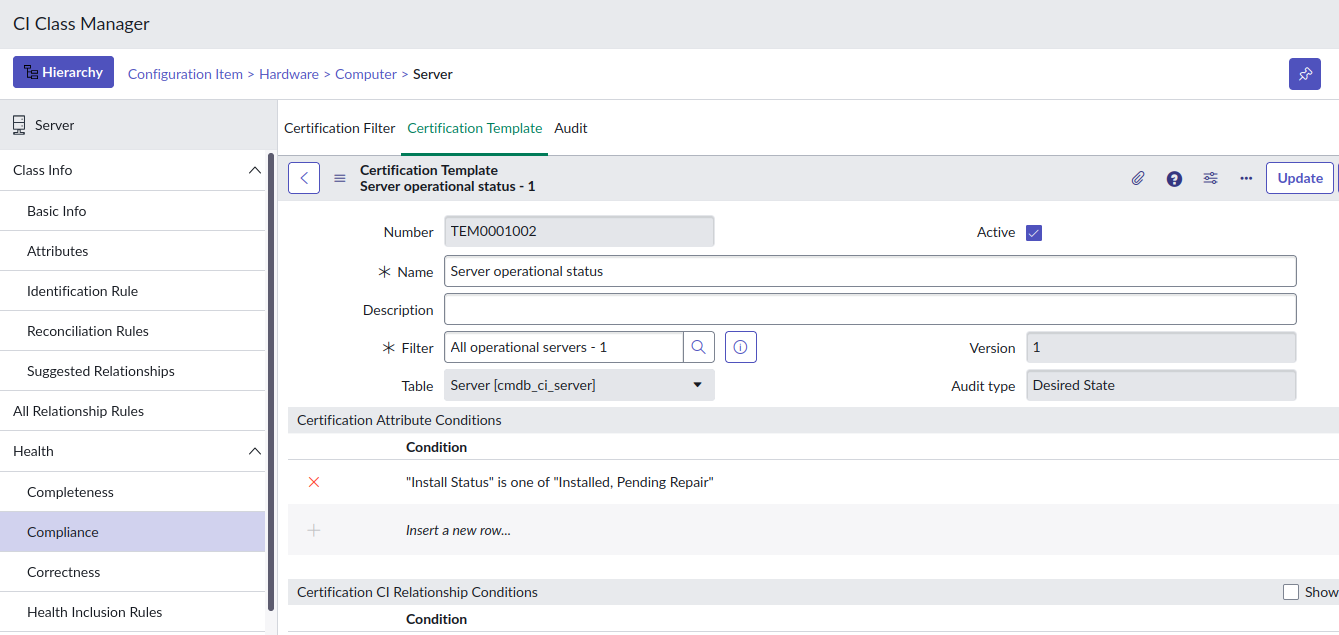
I recommend creating CMDB Health Certification rules to highlight deviations between the Operational status and Install status fields.
Here's an example that expects all Server CIs where the Operational Status is "Operational" to have the Install Status of either "Installed" or "Pending repair".
Not on the form
By default, neither the Operational Status or the Install Status fields are on the forms of most CI classes. I don't know why ServiceNow did this.
I recommend adding at least the Operational Status field any CI class that you'll be managing the state of, likely these ones:
- Servers [cmdb_ci_server]
- Network gear [cmdb_ci_netgear]
- Database servers [cmdb_ci_database]
- Printers [cmdb_ci_printer]
Importing CI "State" from a spreadsheet
If you have a big spreadsheet of CIs to import into the CMDB and it has a "State" column in it, I'd recommend importing it into the Operational status field. You should always double-check that this applies to your situation, however, the odds are good that it means the Operational status.
In my experience, most of the time this value in the spreadsheet is denoting the operational status of the CI within the customer's IT infrastructure, and typically doesn't denote the status of the physical hardware.
Sync Install Status between Asset and CI
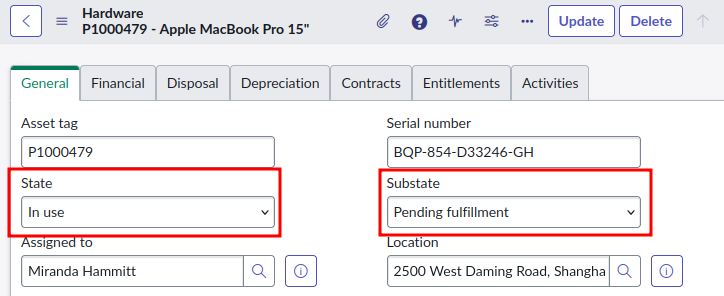
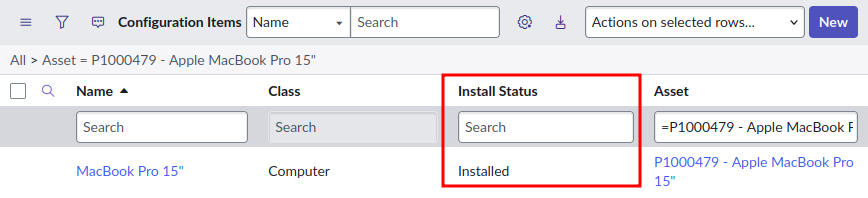
The Install Status field is synced between Asset and CI. Changing the "State" [install_status] or "Substate" [substatus] fields on an the Asset will update the "Install status" [install_status] field on the linked CI.
SN Docs - Map asset state and CI install status
https://www.servicenow.com/docs/r/it-asset-management/asset-management/t_CreateAssetandCIInstallStatusMapping.html
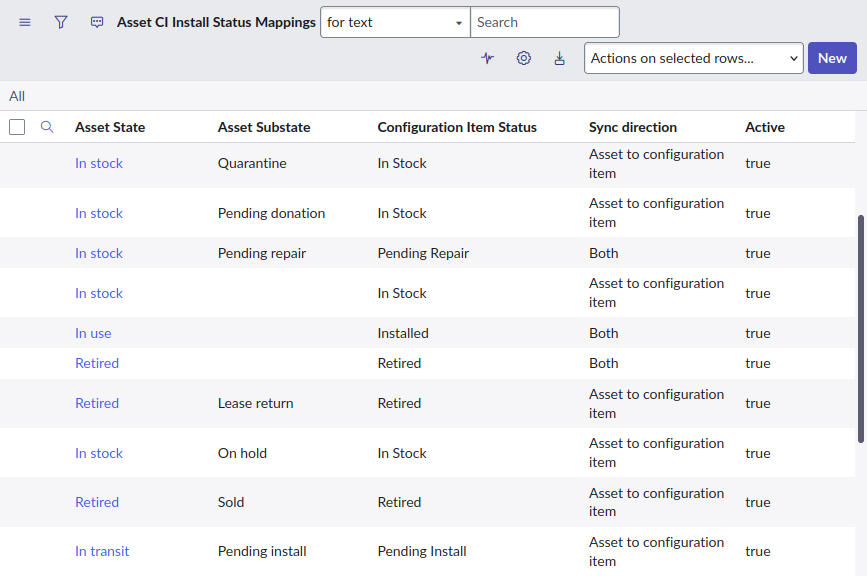
However, the sync is complicated because it's not the same between Asset and CI.
Assets use a combination of the fields "State" and "Substate".
CIs just use the "Install status" field.
The status mapping between Asset and CI is configured using the table "Asset CI Install Status Mappings" [alm_asset_ci_state_mapping].
Here's a list of Install Status states and substates from SN Docs.
https://www.servicenow.com/docs/r/it-asset-management/asset-management/t_SettingAssetStatesAndSubstates.html
Other status fields
Hardware Status & Substatus
Hardware Status is applicable for only hardware CIs( e.g servers, ). But, this isn't used anymore.
- sachin_namjoshi
Firewall status
ServiceNow Docs describes the field:
Firewall status = Internet or intranet facing server.
It seems this field's purpose is to denote whether it is available:
- only from inside of the network
- from outside of the network from the internet
- within the DMZ network
I'm unsure how this field is set: it could be manually, or it could be done automatically as part of the "ServiceNow Firewall Audits and Reporting" application. I might explore this feature more in a future article.
Attestation status
Used as part of the CI Attestation feature, this field denotes the CI's status in its attestation lifecycle.
The CI Attestation feature enables users to "attest" their CIs. As CIs are imported into the CMDB, typically in bulk, the CI can be "attested" by an owner or a support engineer to say "yep, this CI is legitimate".
SN Docs – CI Attestation
https://www.servicenow.com/docs/r/washingtondc/servicenow-platform/configuration-management-database-cmdb/attesting-cis.html
Life Cycle Stage & Status
Introduced in early CSDM releases around the Rome release of ServiceNow, the fields are now considered legacy as of the Yokohama release. Maybe don't use it.
The CI Life Cycle section is now marked as "(legacy)" in the ServiceNow Docs.
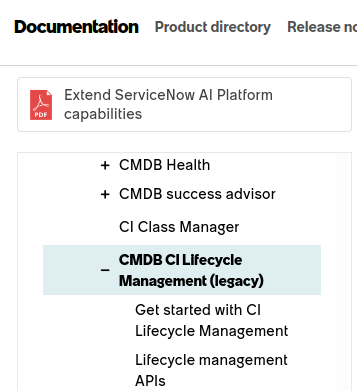
The CI Life Cycle fields are discussed by SN Community veterans here in this Community discussion.
LifeCycle stage vs Status
https://www.servicenow.com/community/cmdb-forum/lifecycle-stage-vs-status/m-p/245071
https://davidmac.pro/posts/2026-02-22-sn-ci-status-fields/