
Service Operations Workspace – How to clone the landing page?
 New article articles in ServiceNow Community
·
Nov 29, 2024
·
article
New article articles in ServiceNow Community
·
Nov 29, 2024
·
article
 Sujatha V M
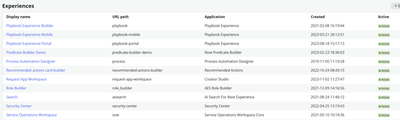
Landing page is where an agent can get quick visibility into the work assigned, view announcements, and view upcoming tasks.
Steps involved in cloning the landing page,
➡️ Navigate to UI builder -> Service Operations Workspace

➡️ Access the Page and Variants section -> Home [Landing Page]

➡️ Open the Service desk landing page SNC [read-only page].

➡️ As the scope is “Incident Management for Service Operations Workspace”, create an update set using the scope and click on “Duplicate Variant” and provide the details.

➡️ Define the audiences for the page (optional) and click on “Create”

➡️ A new landing page “Custom Service desk landing page SNC” is created with the same order 100.

➡️ Deactivate the out-of-the-box “Service desk landing page SNC” page.

Note: Make sure the custom main landing page “ORDER” is lower than the existing pages incase of multiple pages if not inactivated.
#ServiceNow #Community #ServiceOperationsWorkspace #SOW
https://www.servicenow.com/community/incident-management-sow-articles/service-operations-workspace-how-to-clone-the-landing-page/ta-p/3115809