
Service Operations Workspace - How to modify the message when there is no visualization?
 New article articles in ServiceNow Community
·
May 22, 2025
·
article
New article articles in ServiceNow Community
·
May 22, 2025
·
article
 Sujatha V M
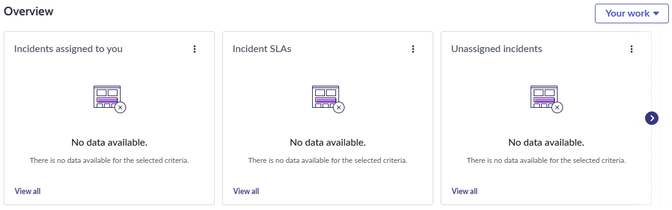
In this article, we will see how to modify the message displayed on the visualization.
By default, when there is no data to be displayed the visualization on the overview page displays the message as below,

➡️ Navigate to UI builder, select the experience and access the custom landing page “Service desk landing page SNC” where you want to modify.

➡️ Access the "Overview" viewport and edit the content which prompts to access the sub-page.

➡️ On the sub-page, access the "Donut" component under the visualization section and navigate to "Configure" on the right pane.

➡️ Update the "No Data Message" section accordingly.

Note: Uncheck "Set custom message when no data" checkbox, if you want the default message to be displayed.
RESULTS :
Custom Message :

Kindly mark this article as "Helpful" if this resolves your query.
ServiceNow #ServiceNowCommunity #ServiceOperationsWorkspace #SOW
https://www.servicenow.com/community/service-operations-workspace/service-operations-workspace-how-to-modify-the-message-when/ta-p/3271099