
Part 1 of 4 - Intelligent ERP Workflows: Getting SAP data into ServiceNow (the easy way)
 New article articles in ServiceNow Community
·
Mar 02, 2025
·
article
New article articles in ServiceNow Community
·
Mar 02, 2025
·
article
"Tell me and I forget. Teach me and I remember. Involve me and I learn." - Xunzi
Why this blog series?
We believe in 'involving' you, not just telling you. That's why we created this interactive guide. Okay, so we can't just hand you the keys to a live SAP system (that might not end well!). But we can give you a taste of how to connect SAP and ServiceNow, making your life way easier. This series is all about showing you how to read and update SAP data right from your ServiceNow flows and apps.
- Part 1 of 4 - Intelligent ERP Workflows: Getting SAP data into ServiceNow (the easy way)
- Part 2 of 4 - Intelligent ERP Workflows: Real-time SAP data in your ServiceNow apps
- Part 3 of 4 - Intelligent ERP Workflows: Using that SAP data to power your ServiceNow workflows
- Part 4 of 4 - Intelligent ERP Workflows: Building your first app that talks to SAP
For whom is this series?
You would find this series useful for:
- If you're a business leader who's tired of slow, manual processes, this is for you.
- If you're a business user who spends way too much time copy-pasting data between SAP and ServiceNow, keep reading.
- If you're a ServiceNow developer who wants to integrate SAP data without the headache of complex interfaces, you're in the right place.
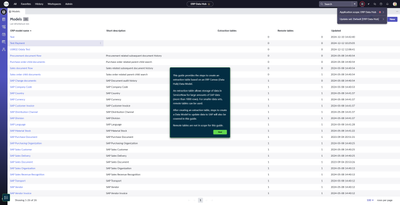
In this first part, we'll show you how to create a data model to pull the specific SAP data you need, and how to schedule those data pulls. We'll be using RFC-based SAP protocols, but the core ideas apply to OData as well.
Ready to get started?
We've created an interactive guide that walks you through the process step by step. You can find it here.
In the guide, you'll learn how to create a data model, configure extraction tables, and schedule your data pulls. Don't worry, it's easier than it sounds! The guide is designed to be user-friendly, with clear instructions and helpful tips. Just a heads up, we'll be using 'ERP Data Hub' and 'ERP Canvas' interchangeably. They refer to the same thing.

Conclusion
And there you have it! You've just created your first SAP data extraction model, ready to power your ServiceNow workflows and apps. We're always working to make this process even smoother, and we appreciate your feedback on how we can improve. Stay tuned for more updates in future releases!
Other blog entries worth checking out:
- ERP Canvas App Install Guide
- How can you connect ERP Canvas to SAP
- ERP Model creation using OData Service: A Step-by-Step Guide
- More blogs entries for App Engine for ERP (SAP integration)
We value your feedback - do not hesitate to post your questions or comments below!
- Leo
https://www.servicenow.com/community/app-engine-for-erp-blogs/part-1-of-4-intelligent-erp-workflows-getting-sap-data-into/ba-p/3192800