
Copy Attachment - Trick and Treat! (Low Code Solution)
 New article articles in ServiceNow Community
·
Nov 03, 2024
·
article
New article articles in ServiceNow Community
·
Nov 03, 2024
·
article
Use Case: Copy the attachment from one internal table to another within ServiceNow, specifically from REQ to RITM and subsequently to Task request attachment management.
Description: I have observed numerous inquiries within the community regarding the process of copying attachments through scripts. Currently, I notice that technicians are encountering difficulties in writing the script, resulting in non-functional scripts and the creation of duplicate attachments. ServiceNow offers an out-of-the-box (OOB) solution to manage attachments with minimal coding by utilizing the 'Related List' concept.
Solution:
Display Change Request attachments on Change Tasks.
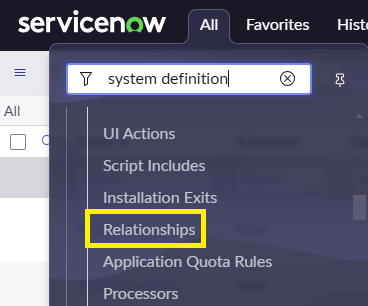
1. Go to System Definition > Relationship
2. Click New
3. Add Relationship

Name: Copy Attachment from RITM
Applies to table: Catalog task [sc_task]
Queries from Table: Attachment [sys_attachment]

4. Go to a Catalog Task
5. Right-click > Personalize > Related Lists. Add Requested Item Attachments

6. Output

Note: Utilize the same reasoning for the necessary table from which data must be copied and to which it must be transferred. This approach facilitates a solution that minimizes code, enhances re-usability, and eliminates performance issues arising from incorrect code or logic.
Hope you like it. If any questions or remarks, let me know!
If this helped you in any way, I would appreciate it if you hit bookmark or mark it as helpful.
servicenow #scriptingdebugging #OOBSolution #AttachmentRelationship
Regards,
Suresh.
https://www.servicenow.com/community/itsm-articles/copy-attachment-trick-and-treat-low-code-solution/ta-p/3094832