
New Free Tool: Login Link Generator
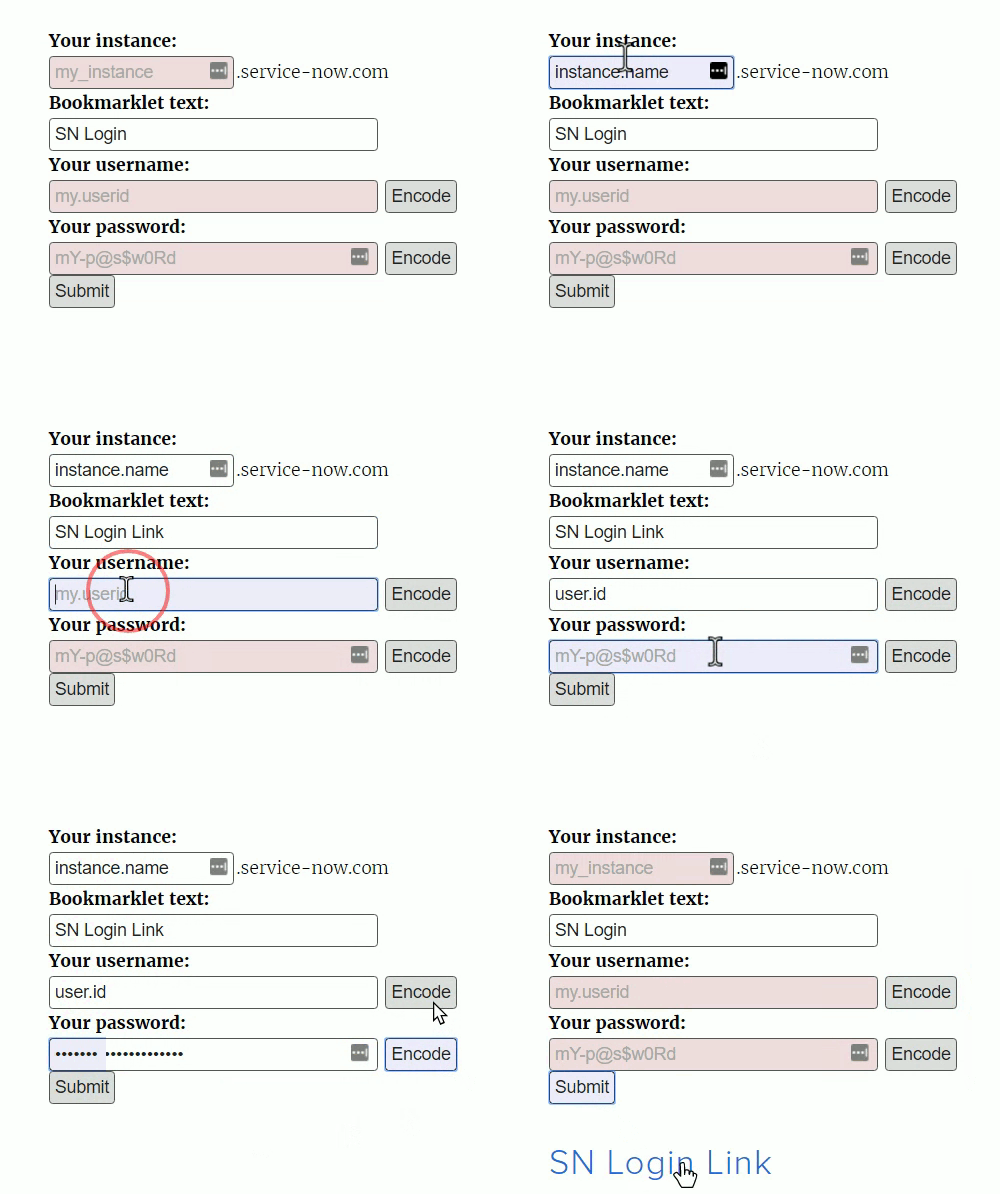
If you're anything like me, you're tired of logging in to instances manually, wondering if you've typed your password wrong or if it's expired or been changes, and having to manage dozens of logins - one for each account on each instance owned by each client!
Password managers are fantastic (I use LastPass, myself) but I find that when a password expires or is changed, they always have difficulty telling which client and which instance the login is for -- they treat all logins as accounts for "service-now.com" rather than the sub-domain. And what's worse, they tend to try and auto-fill the "password" fields in user profiles, in the sys_user table! That's no good.
One option for getting around this issue, is to use a custom login link. This makes logging in as easy as clicking a bookmark, and eliminates the extra step of being redirected to the login page before getting to the content you were looking for.
As you can see from the demo on the right, all you need to do is enter your instance name (usually your company's name, 'companyname*dev', or 'companynameqa*' - you can create a separate login link for each instance), then choose the link text. This will be the text associated with the bookmark you'll be creating. Finally, enter your instance username and password.
Optionally, you can click encode once on the username and/or password fields, to hex-encode the values, making it more difficult for someone to get your password by somehow getting a peek at the source URL of your login bookmark. Just don’t confuse “encoding” for “encryption”. If anyone else gets this link, they’ll be able to log in as you.
https://snprotips.com/blog/2016/9/23/qqbnfzgdo1cr1wwzpsuesn12thyug5