
https://www.semaphorepartners.com/post/one-click-record-producer-creation
 Semaphore Partners Blog
·
Sep 09, 2024
·
article
Semaphore Partners Blog
·
Sep 09, 2024
·
article
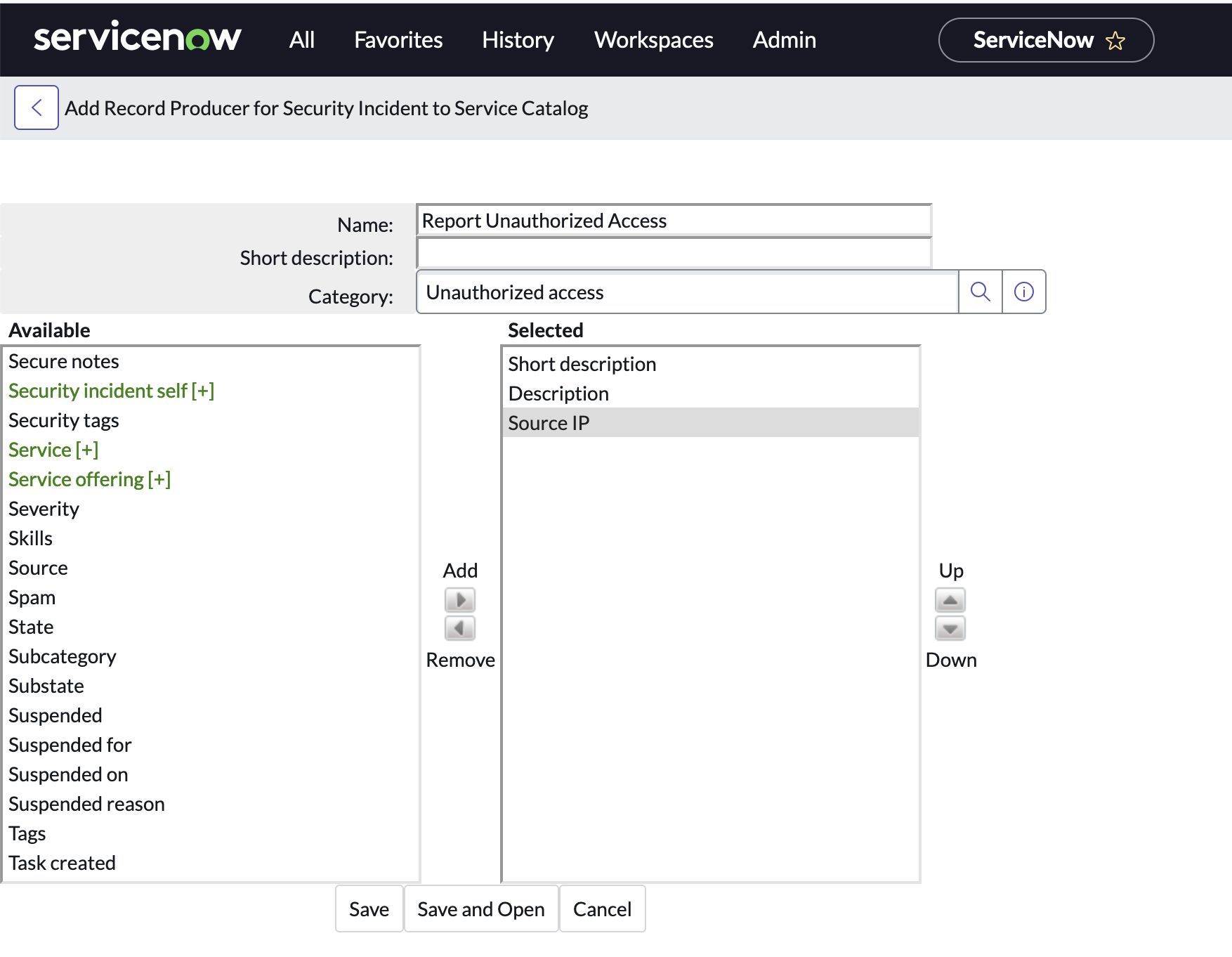
Did you know you could create a record producer with a few clicks without having to redefine variables that already exist on a table?
I have a tip that most people don't know about.
Often times you have an existing data structure that you just want to enable via the Service Catalog/Service Portal. It's pretty time consuming to have to lookup the column names and create all of the variables manually.
Here is how you do it:
- Visit the table definition via Left Nav. (System Definition > Tables) or if you are viewing the List/Form (Right Click > Configure > Table)
- Scroll Down to "Related Links" > "Add to Service Catalog"
- Select your columns in the "Available" list via the slushbucket
- Give it a Name, Short Description, and Category
- Finally Click "Save and Open"
- You should be redirected to your newly created Record Producer (which includes the variables selected from the slushbucket)
View original source
https://www.semaphorepartners.com/post/one-click-record-producer-creation