
114. Service Portal by setting ‘Search Sources’
Import
·
Jun 09, 2024
·
article
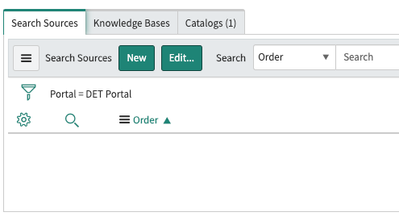
You can easily define what can be searched on the Service Portal by setting ‘Search Sources’ in the portal settings.
- Navigate to Service Portal > Portals, then select the portal record for which you wish to define the search sources.
- Go to the Search Sources tab under related lists and click on the Edit button.
3. Select the relevant sources from the slush bucket and hit Save.
That’s it! All searches on the portal going forward will show results from the defined search sources.
View original source
https://medium.com/@LearnITbyPrashant/114-service-portal-by-setting-search-sources-7b6af5d61b4a?source=rss-d005fc598f0a------2