
78. Enable/Disable attachments on a Table
Import
·
Jun 05, 2024
·
article
Did you know we can Enable / Disable attachments on a table?
Procedure
- Open a record in the table.
- Right-click the form header and select Configure > Dictionary.
- In the list of dictionary entries, select the Collection type entry and open it (the record with no Column name entry).
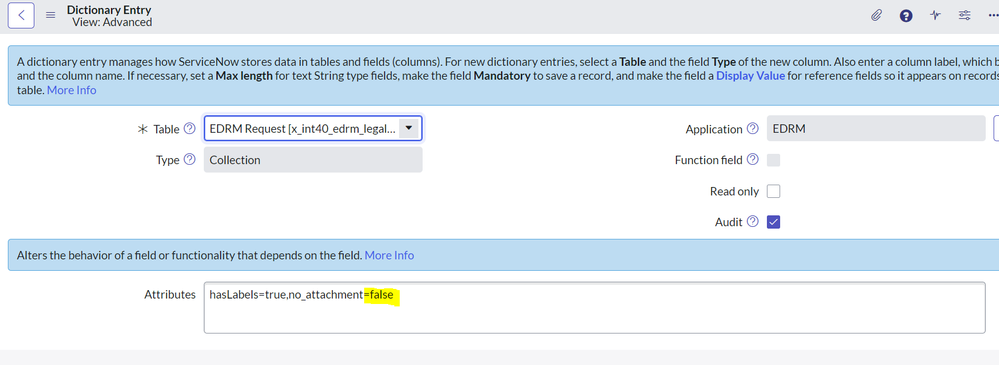
- Add no_attachment=false / no_attachment=true to the Attributes field, separated by commas from any existing attributes.
A sample screenshot is below to enable the attachment option -
View original source
https://medium.com/@LearnITbyPrashant/78-enable-disable-attachments-on-a-table-9c5a14102729?source=rss-d005fc598f0a------2