
72. Extend ServiceNow User Criteria by adding a Custom Field
Import
·
Jun 03, 2024
·
article
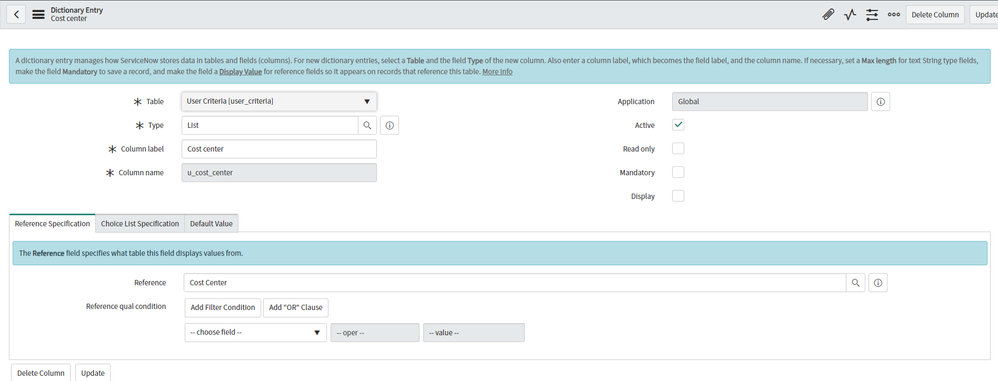
Did you know that you can extend ServiceNow user criteria by adding a custom field and then use it in your User criterias?
Here are the steps:
- To extend user criteria, simply add a reference field from the user record to the user criteria table. The field must be of type List, and the names of the fields must match.
- For example, to add the user’s cost center as a user criterio, you would create a new field in the user criteria table called u_cost_center and set the reference field to Cost Center.
- Now, when you’re configuring user criteria, you’ll see the new field in form. You can use it to create more complex and powerful user criteria rules.
View original source
https://medium.com/@LearnITbyPrashant/72-extend-servicenow-user-criteria-by-adding-a-custom-field-7145f8922aca?source=rss-d005fc598f0a------2