
26. Scripted Reports
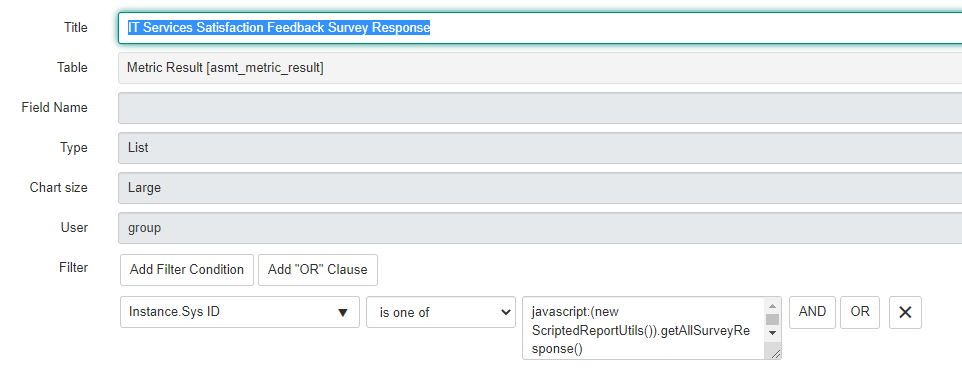
Do you know how to call a script in the reports and why?
There are multiple scenarios which we can not perform by the simple filters in the reports.
Example: Show all the survey response questions if response of First Question is Positive.
In this conditional requirement we can not achieve the complete data in the report so we can call the script Include in the Report as below.
Script Include:
getAllSurveyResponse: function() {
var ans =[];
var result = new GlideRecord(‘asmt_assessment_instance_question’);
result.addEncodedQuery(‘category=c8f4ab6a0fe57a0006e25c3be1050ebbsys_created_onONLast month@javascript:gs.beginningOfLastMonth()@javascript:gs.endOfLastMonth()metric=53eea7a0db8f57cc4f5bf64a0c9619fbvalue=1ORvalue=2’);
result.query();
while(result.next()){
ans.push(result.getValue(‘instance’));
}
return ans.toString();
},
Report:
https://medium.com/@LearnITbyPrashant/26-scripted-reports-3d5f77121041?source=rss-d005fc598f0a------2