
Creating a Custom Properties Settings Page in ServiceNow
 thesnowmonk.com
·
Jan 21, 2023
·
article
thesnowmonk.com
·
Jan 21, 2023
·
article

Oh boy! This is a beautifully short and insanely useful little tick that I learnt and I’m going to share it with you today dear service nerds.
Creating the System Properties
Very simple, nothing too fancy here. Head over to System Properties > Create New. Fill in the details requested and you’re off to a good start.
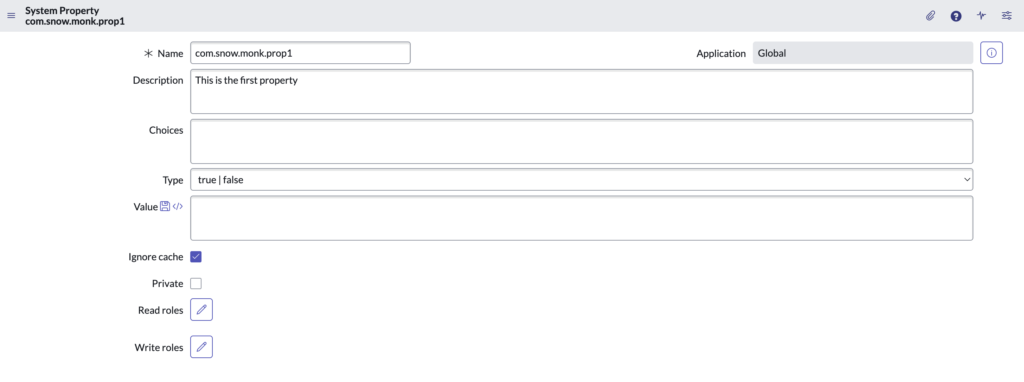
Good job! Now create a couple more like it.
Creating the Properties Categories
Head over to System Properties > Categories. Create a new category.
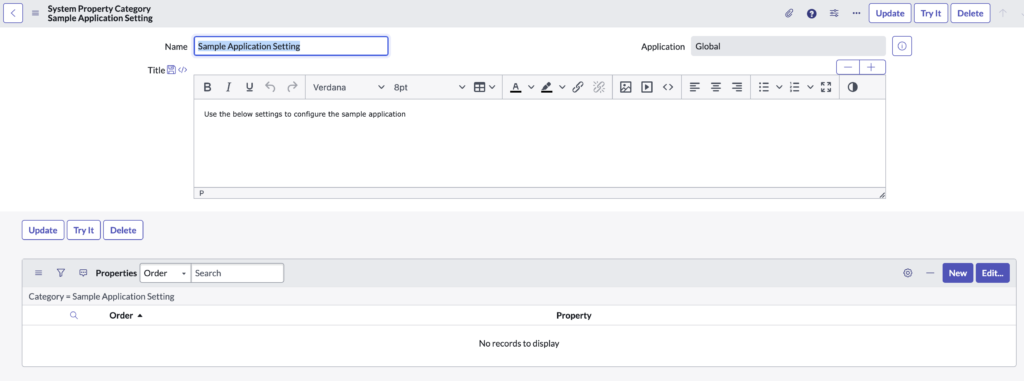
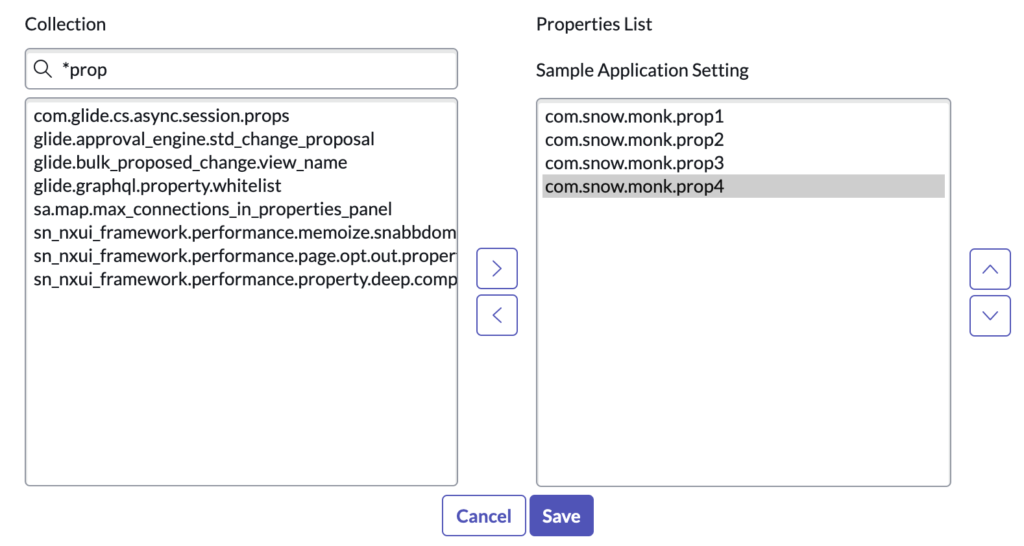
In the related list, add the properties that you would like to be bundled as part of this category.
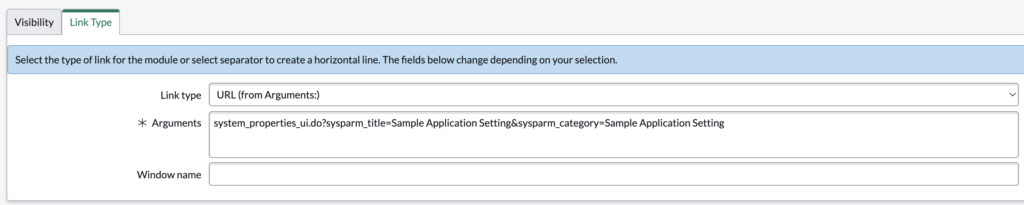
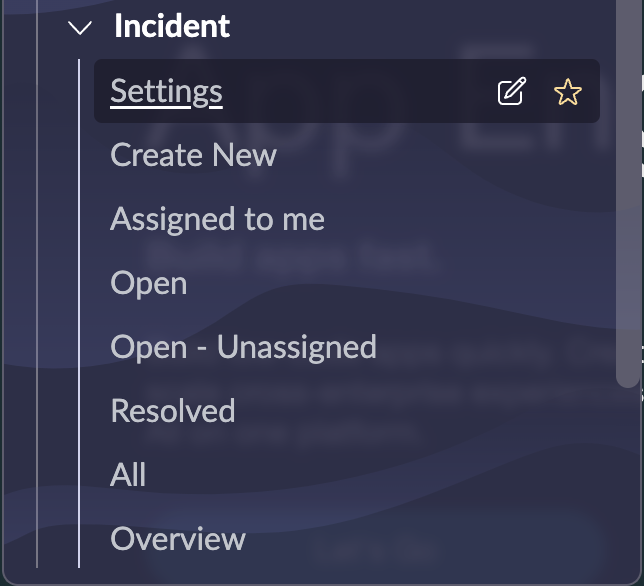
Now, add this as part of a module. For this example I will be creating a module under the incident application. Select the link type as URL and in the arguments make sure to give the sysparm_category as the name of the category that you selected.
Settings should get listed under the Incident module
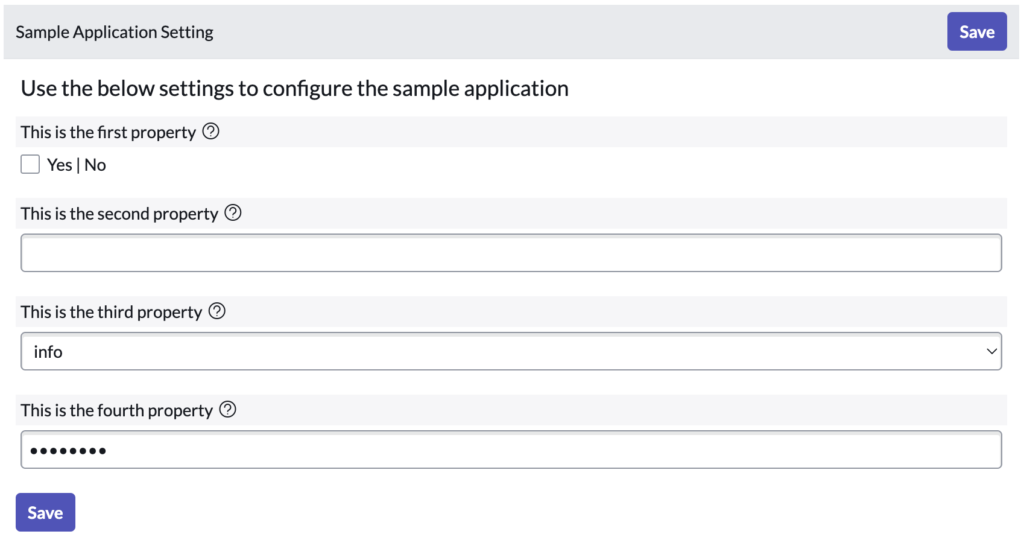
And voila! there you have it! A settings page for your properties,
The post Creating a Custom Properties Settings Page in ServiceNow first appeared on thesnowmonk.com.
https://thesnowmonk.com/index.php/2023/01/21/creating-a-custom-properties-settings-page-in-servicenow/?utm_source=rss&utm_medium=rss&utm_campaign=creating-a-custom-properties-settings-page-in-servicenow