
Washington DC upgrade - Workflow studio (Flow designer) information and changes
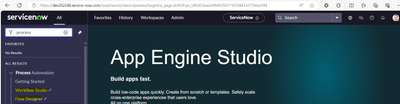
Workflow studio/Flow designer:
Workflow studio and flow designer will open the same URL as mentioned below.
When we launch workflow studio from left navigation, it will be pointed to Processes tab.
When we launch Flow designer from left navigation, it will be pointed to Flows tab.


In Workflow studio ServiceNow added Homepage, Operations, Integrations:

In Operations, we can see data for Processes and Flows:

Swapping Columns in Flow Designer:

“Pick from where you left” feature:

Priority in Flow Designers:

In Flow designer trigger condition, we also can select Remote table query now:

Undo – redo button in Flow designer:

Make Flow Read Only: Once made read only to edit flow again need to click on Edit flow till the time flow will be in read only.

Newly added action – Fire event in flow designer:

Using this we can trigger notification, script actions and business rules.
Toggle “Details” and “Annotations” in the diagrammatic view along with “Error Handling”:
Try and Error Catch


Dinesh Kumar Raghu.
https://www.servicenow.com/community/upgrades-and-patching-articles/washington-dc-upgrade-flow-designer-information-and-changes/ta-p/2846383