
TNT: Useful Bookmarklet - "Now Learning Window Size"
Part of the "Tips 'N Tricks" series.
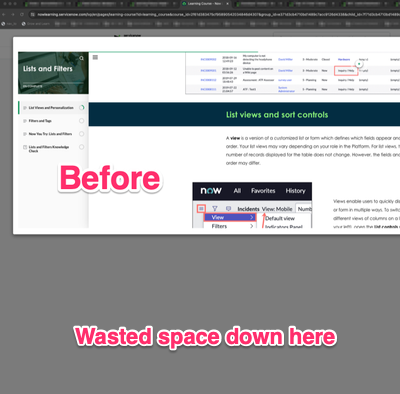
I ran into this article on the weekend: Learning Popup Height Adjuster for NowLearning: Enhance Your Learning Experience! and thought "why didn't I think of that?". The height of the popup window on my screen has been driving me crazy, only using a bit more than half of the height of my monitor. Why can't it be taller?
So, after reading that post I mentioned above, I didn't want to install something else just to resize the window, so I just created a simple bookmarklet to do the trick. All you have to do is create a new bookmark in your favourite browser, give it a useful name and paste the following code into the URL or Location field:
javascript:(function(){
    try {
        var iframe = document.getElementsByClassName("scorm-iframe")[0];
        iframe.style.height = "95em";
    } catch(err) {}
})();
NOTE: When you paste the code into the bookmark/favourite, change ":" in the first line of code above with the actual colon character ":".
You will end up with a bookmark you can click to quickly resize the window now:


Simple and effective. You'll probably have to play with the "95em" to get the right height for your monitor. I could have added some smarts to figure out to optimum height, but sometimes you just have to get it done and move onto the next problem.
Kudos to @dogieglo and thanks for the inspiration.
https://www.servicenow.com/community/developer-blog/tnt-useful-bookmarklet-quot-now-learning-window-size-quot/ba-p/2829106