
How to remove / disable "Applications" screen navigation bar in the agent mobile
Import
·
Nov 28, 2023
·
article
Hello All,
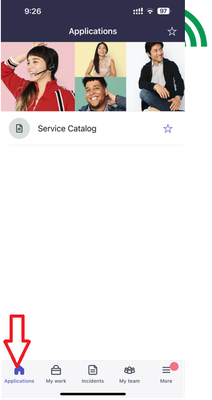
I've noticed several questions about how to remove/disable the application screen from the agent mobile. Previously, we could directly remove it from the Navigation Bar module under the system mobile. As it has become a legacy feature, it is no longer displayed in the navigation bar list.
Here are the steps to remove this:

To remove "Applications" from the navigation bar, follow these steps:
- Open the Navigation Bar module under the system mobile (
syssgnavigation.list). - In the list, open the Mobile Agent record and observe that the ITSM Mobile Agent is categorized as a Legacy Application.
- Uncheck the "Legacy Application" field in the Mobile Agent record.
- Log in to the agent mobile and confirm that the Application navbar is no longer present.
Reference: https://support.servicenow.com/kb?id=kb%5Farticle%5Fview&sysparm%5Farticle=KB0963316
Regards,
Paul
Labels:

View original source
https://www.servicenow.com/community/mobile-apps-platform-articles/how-to-remove-disable-quot-applications-quot-screen-navigation/ta-p/2746031