
Need to know about Schedules and Define them in SLAs
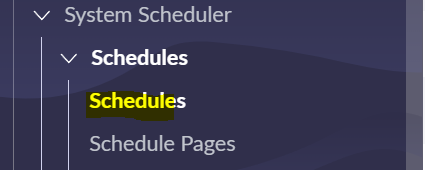
What are schedules : These are rules that include or exclude time for various actions or tasks
used in 1) Service Level Agreements (SLAs)
2)I nactivity monitors : Inactivity monitor that triggers an event for a task record when the task has been inactive for a certain amount of time
3)On-call rotations : Used in On call Schedules
Example Use Case: Exclude SLAs to run during holidays and Weekend (This has been explained at the end, read through the article to understand 
Where to Find schedules :
System Scheduler > Schedules

Example Schedule
Schedule:

Name: Provide unique name to the schedule.
Time Zone: Time zone for the schedule. If you select Floating, the time zone is relative to whatever process is accessing the item at the time
ex: if its in the SLA definition timezone is to caller timzone, this schedule runs relative to Caller timzone
Parent: schedule that constraints the new schedule.
Type: Explained them below
Description: Provide breif description about the schedule.
Schedule Entry:Related list contains the definitions of the time periods you want to include in or exclude from the schedule.

In the Schedule entry , you can configure Date and time to which the schedule entry applies ,

Verify Schedule by clicking on the "Show Schedule" related link on the schedule
Example result :it shows all day since it runs everyday 24*7

Lets add a exception where exculde time from the schedule i.e exculde 15th of August so that when we add this schedule to SLA it wouldn't consider the day for the breach time.
go schedule>child schedule > click new
Create schedule (Making sure Type of the schedule here is "Include" since its a child schedule to the 24*7 schedule)

Schedule entry : Type exculded, on 15th of August every year.

Parent and Child Schedule relationship:
Parent : When a schedule record lists a value for the Parent field, schedule entries from the parent schedule apply to both the parent schedule and the child schedule

Child :A schedule record has one or more child schedules in the Child Schedules related list.
Couple of things to note here in child schedule
- To create a Holiday schedule and include it in a parent schedule, you must add it as a child schedule and with an Include type.(this has been expained above)
- Parent schedules must have at least one entry that is not an Excluded type. If parent schedules are only exclusionary, they are invalid.
- Parent and child schedules cannot contain conflicting schedule entry types. For example, a schedule containing maintenance schedule entries cannot also contain blackout schedule entries. Nor can a maintenance schedule have a child schedule containing blackout schedule entries. (maintenance and blackout schedules are explained below)

Different Classes of schedules:
Excluded: Explained above
Maintenance: Specifies time periods where change management activities are allowed.
- You can pick Services\Change Request\CI class options
- when CI class option is selected you would prompt to select CI record
- You can select condition based on Source type
- Finally add the schedule entry where you would like have the maintenance
- Table you create/update Maintenance schedules is "cmn_schedule_maintenance"
Example:

Blackout : Excludes time periods from change management schedules
- As Maintenance schedule you can pick Services\Change Request\CI class options
- Table you create/update Maintenance schedules is "cmn_schedule_blackout"
Example:

CAB Definition schedule : Used in Change Advisory Board (CAB) definitionr(its is similar to a recurring meeting invitation)
Example:

Now our 24*7 schedule runs everyday (24*7, including weekends and all holidays) excluding 15th of August
Integrate to one of the schedule(i.e 24*7) to SLA definition to (ex: P4 resolution SLA) as below.

Hope this article helps when you set up a schedules.
Thank you,
Hemanth
Rising Start 2022 & 2023
My other articles :
Set up interactive filter on UI builder (for data visualization reports and List records)
Set Up "Step Based Request Fulfillment" for Catalog Items
My ServiceNow Share Projects:
Get Record URL action in the flow designer (Use it in the Send Email action)
https://www.servicenow.com/community/developer-articles/need-to-know-about-schedules-and-define-them-in-slas/ta-p/2736938