
Hide a Tab on Standard Ticket Page in Employee Center
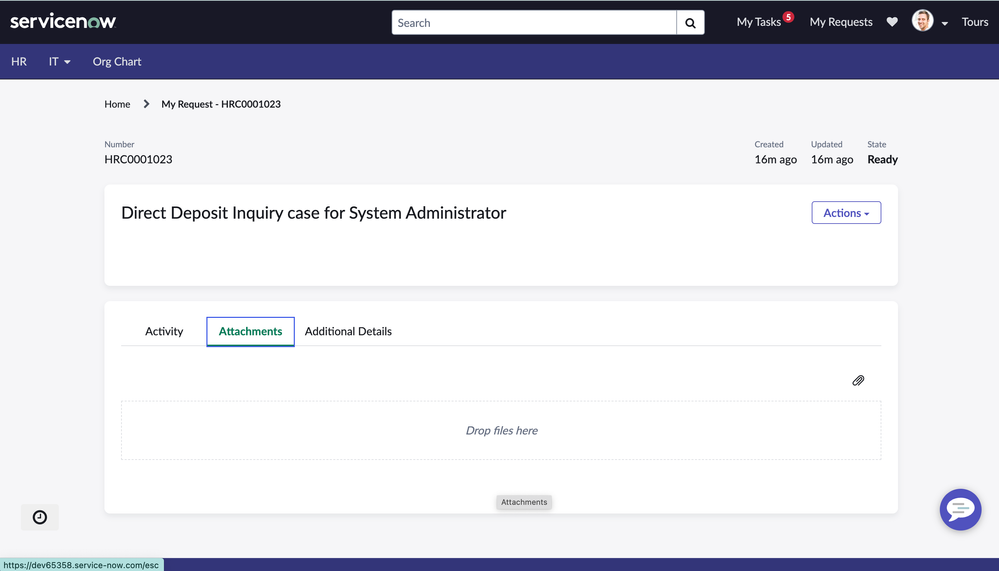
Recently, I came across a question on the Forum where the questioner wanted to hide Attachments tab on the Standard Ticket Page. Along with posting a solution, I thought of creating an article around this question.
Problem statement:
Hide the attachment tab on Standard Ticket page on Employee Center

Here is the steps one needs to follow to hide a specific tab.
1. Search for Standard Ticket configuration module.

2. Locate your case table where you would like to hide the attachment tab

3. After selection, you will be taken to the following screen. Choose the advanced checkbox

4. A script field will appear on the screen, in this field simply write answer=false;

Save the changes and check the Ticket page, the attachment tab will no longer appear.
This is how the page looks when the aforementioned changes are done.

Hope this helps.
https://www.servicenow.com/community/hrsd-articles/hide-a-tab-on-standard-ticket-page-in-employee-center/ta-p/2610533