
UI Policy Scripts
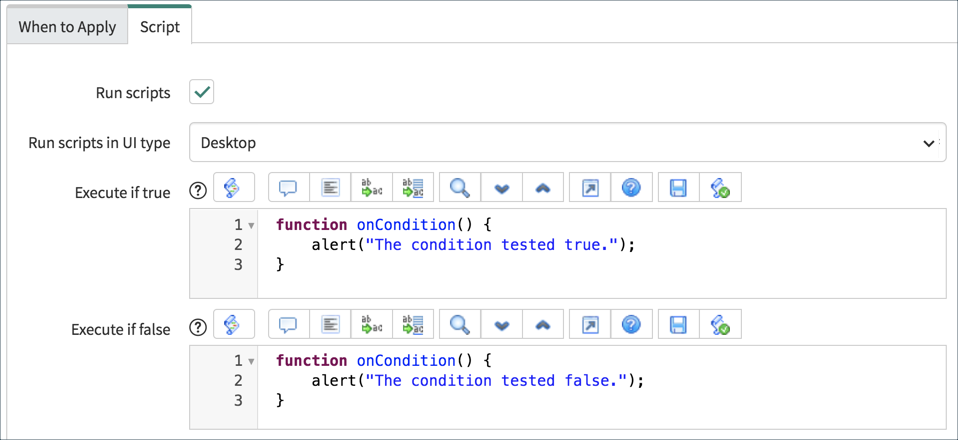
UI Policy scripts use the client-side API to execute script logic based on whether the UI Policy condition tests true or false. Use UI Policy scripts to create complex conditional checks or to take actions other than setting field attributes (mandatory, read-only, or visible).
The scripting fields for UI Policies are only visible in the Advanced view. To enable the scripting fields, select the Run scripts option.
- The Execute if true script executes when the UI Policy condition tests true.
- The Execute if false script executes when the UI Policy condition tests false.
Developers can write scripts in one or both script fields depending on the application requirements.
Write script logic inside the onCondition function which is automatically inserted in the scripting fields. The onCondition() function is called by the UI Policy at runtime.
IMPORTANT: The Reverse if false option must be selected for the Execute if false script to run.
Although UI Policy Actions execute on all platforms, UI Policy Scripts execute on Desktop/tablet only in the default case. Use the Run scripts in the UI type field to select the platforms for the UI Policy scripts.
https://medium.com/@LearnITbyPrashant/ui-policy-scripts-6e3149090352?source=rss-d005fc598f0a------2