
table.none vs table.* ACLs
 Stories by Prashant Kumar LearnIT on Medium
·
Jan 15, 2026
·
article
Stories by Prashant Kumar LearnIT on Medium
·
Jan 15, 2026
·
article
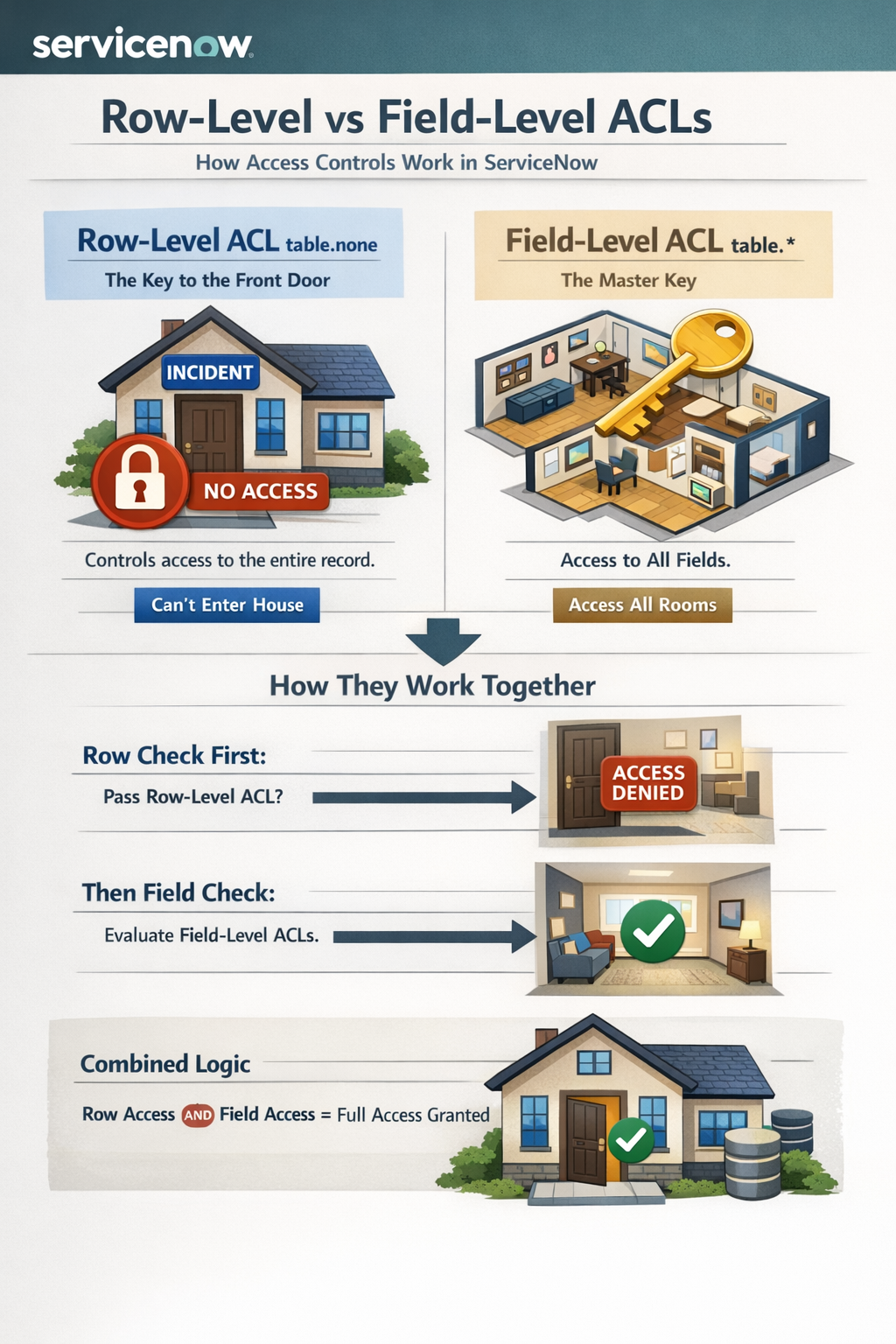
table.none (Row-Level ACL)
- Function: Controls access to the entire record (row).
- Analogy: The key to the front door of a house; if you don’t have it, you can’t get in to see any rooms.
- Example: incident.none grants permission to view or edit any incident record, regardless of its fields.
table.* (Field-Level ACL)
- Function: Controls access to all fields on a table where no specific field ACL exists.
- Analogy: A master key for all rooms in the house; it lets you into all rooms.
- Example: incident.* allows read/write access to all fields (like short_description, caller_id) on incident records.
How they work together
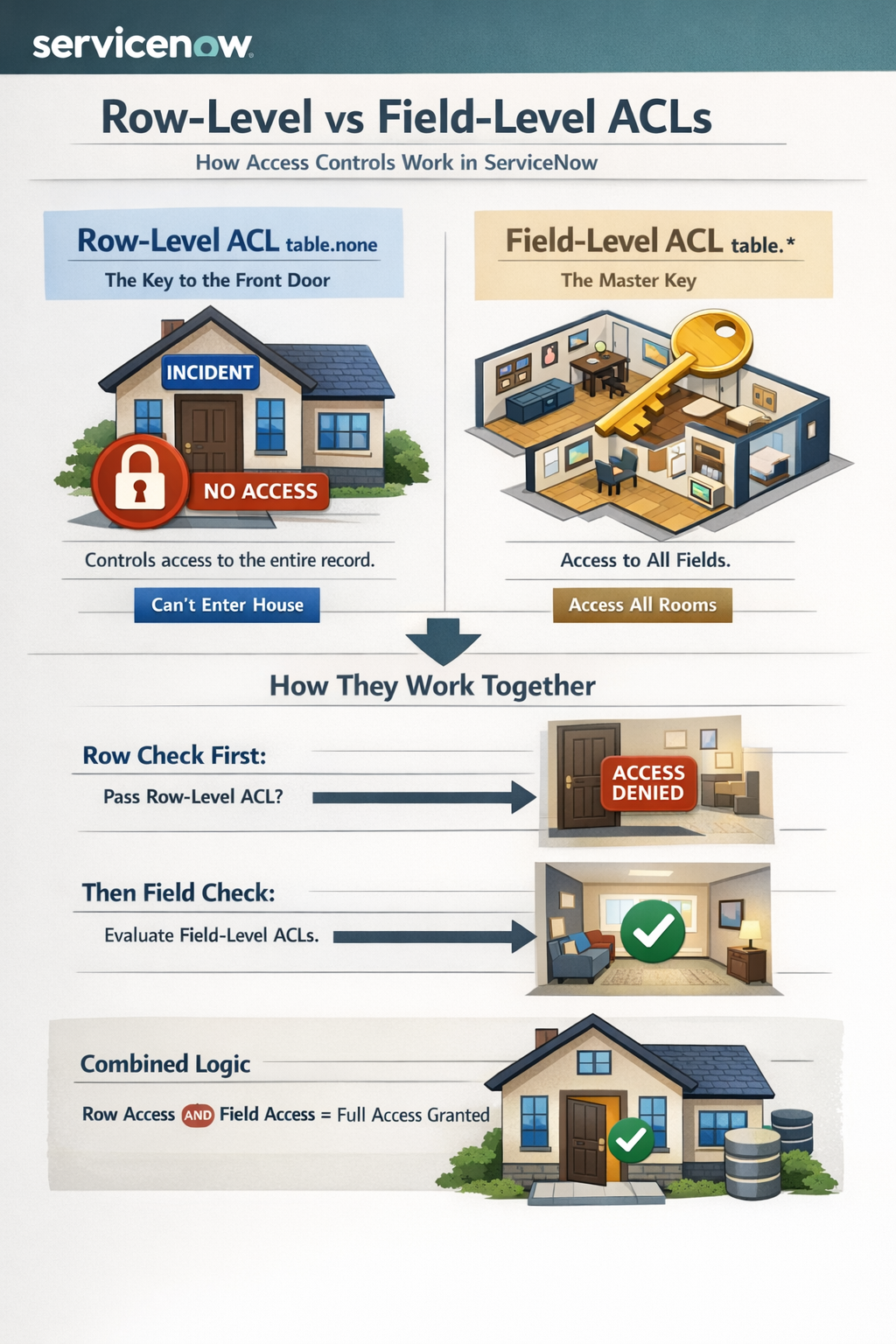
- Row first: The system first checks table.none ACLs. If you fail this, you can't see or interact with the record at all.
- Then fields: If you pass the table.none check, the system then evaluates field ACLs like table.* and specific field ACLs (e.g., incident.comments).
- Combined Logic: Both row-level (OR) and field-level (OR) results are ANDed. You need permission for the row AND permission for the fields you want to access.
When to use them
- table.none: To grant or deny general access to a table's records (e.g., allowing ITIL users to see all incidents).
- table.*: To apply a broad permission (like read-only) to all fields on a table that don't have specialized rules.
View original source
https://medium.com/@LearnITbyPrashant/table-none-vs-table-acls-986a6cd294be?source=rss-d005fc598f0a------2