
Managing Email Replies
 Glass 'putan with Service-Now
·
Mar 09, 2012
·
article
Glass 'putan with Service-Now
·
Mar 09, 2012
·
article
I actually did this a while ago for our email system, but I think it’s something that can be used often as we manage email replies to our tickets.
Email systems such as Microsoft’s Outlook like to append the original message to the bottom of the reply so that we, as users can recall what the original message is about. It makes perfect sense from a human perspective. However, when we’re recording the reply to a message inside a work log, it can get pretty ugly and make the work log very difficult to read. There’s a pretty simple “fix” for this in Service-Now.
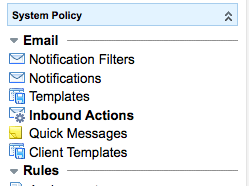
Go to System Policy -> Inbound Actions in the Left Hand Nav.

Take a look at one of the existing Update scripts. For this example, I’ll borrow the Inbound Action script from the Service-Now Demo site.
gs.include('validators');
if (current.getTableName() == "incident") {
current.comments = "reply from: " +
email.origemail + "\n\n" + email.body_text;
if (email.body.assign != undefined)
current.assigned_to = email.body.assign;
if (email.body.priority != undefined &&
isNumeric(email.body.priority))
current.priority = email.body.priority;
if (email.body.category != undefined)
current.category = email.body.category;
if (email.body.short_description != undefined)
current.short_description = email.body.short_description;
current.update();
}
It’s pretty straight forward, includes some validators, verifies the email is intended for the Incident table, and start to format a comment to be saved against the target ticket.
Here’s where the magic needs to happen. Out of the box, it just grabs the entire reply and stores it in the comment field. We want to make it a little smarter by trimming the string at the point of the original message, but we want to do it as intelligently as possible.
if (current.getTableName() == "incident") {
var body = email.body_text;

/*
 * The name of the sender of the message is stored in a property
 * called glide.email.username. We want to leverage this when
 * we strip off the original message.
**/
var system_user_name = gs.getProperty("glide.email.username");

/*
 * Now look for the 'From: <System Email>' tag, so we can strip
 * off the chain.  ( ['F', 'r', 'o', 'm',':', ' '] = 6 )
**/
var beginInbound = body.indexOf(system_user_name) - 6;

if(beginInbound >= 0) {
  // Strip off the original message
  body = body.substring(0, beginInbound).trim();
}

/*  Other Actions Here */

current.comments   =
           "reply from: " + email.origemail + "\n\n" + body;
current.work_notes =
           "Inbound Email Response from " + email.origemail;

current.update();
One thing to watch out for, some clients will put the original message at the top. This message would strip off the reply. I’m sure there are other, better ways of doing this, but it’s worked for me.
https://glassputan.wordpress.com/2012/03/08/managing-email-replies/