
Configurable Portal Widgets: Portal Banner Widget
 New article articles in ServiceNow Community
·
Oct 29, 2025
·
article
New article articles in ServiceNow Community
·
Oct 29, 2025
·
article
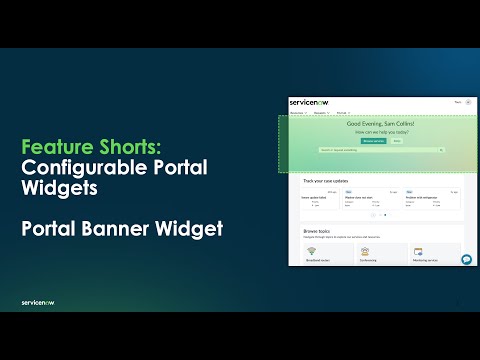
Below you can see Portal Banner Widget. In this example, it's displayed on the business portal.
This widget is out of the box for the business portal and other CRM & Industry customer portals that leverage Configurable Portal Widgets.
When the administrator does a "Control and Right-Click", the instance options display.

Key things to consider when updating the Configure Widget Instance Options for this widget:
Instance Options Overview
Heading: Required title for the banner (default: "Home Page Banner").
- Supports variables:
- : User's name
- : User's salutation</li> <li><part\_of\_day>: Time-based greeting</li> </ul> <p><strong>Description</strong>: Required subtitle (default: "This is home page description").</p> <p><strong>Background Image</strong>: Select or upload an image for the banner.</p> <p><strong>Text Colors</strong>:</p> <p><strong>Heading Text Color</strong>: Default is #FFFFFF (white).</p> <p><strong>Description Text Color</strong>: Default is #FFFFFF (white).</p> <p><strong>Alignment</strong>: Options are Left or Center (default: Center).</p> <p><strong>Show Search Bar</strong>: Option to enable search functionality.</p> <p><strong>Buttons</strong>: Options to display primary and secondary buttons with customizable labels and URLs (absolute or relative).</p> <p>Behavior Fields</p> <p><strong>Condition Script</strong>: Script to control button visibility.</p> <p><strong>Widget Placeholder</strong>: Embed additional widgets from the Widgets table.</p> <p>Related links:</p> <p>Additional information in Documentation - <a href="https://www.servicenow.com/docs/csh?topicname=banner-widget-inst-options.html&version=latest" target="_blank" rel="noopener">Configure Widget Instance Options</a></p> <p>How to add widget on a portal page:</p> <p>if widget doesn't already exist on the page, you can add using the documentation link below.</p> <p>Documentation - <a href="https://www.servicenow.com/docs/csh?topicname=config-portal-banner-widget-inst-opt.html&version=latest" target="_blank" rel="noopener">Add to a portal page using the designer</a></p> <p>Training:</p> <p><a href="https://learning.servicenow.com/lxp/en/customer-service-management/customer-portals-bootcamp-on-demand?id=learning%5Fcourse%5Fprev&course%5Fid=af2f29cc979cee103845f3f0f053af1b" target="_blank" rel="noopener">Customer Portal and Configurable Portal Widget Foundation</a></p> <p><a href="https://learning.servicenow.com/lxp/en/customer-service-management/configurable-portal-widgets-overview?id=learning%5Fcourse%5Fprev&course%5Fid=85f675fa47ac1a94c00af235126d4374&s=1&ssa=3" target="_blank" rel="noopener">Configurable Portal Widgets</a></p>
View original source
https://www.servicenow.com/community/csm-articles/configurable-portal-widgets-portal-banner-widget/ta-p/3409438