
Link Generator in use
 New article articles in ServiceNow Community
·
Oct 22, 2025
·
article
New article articles in ServiceNow Community
·
Oct 22, 2025
·
article
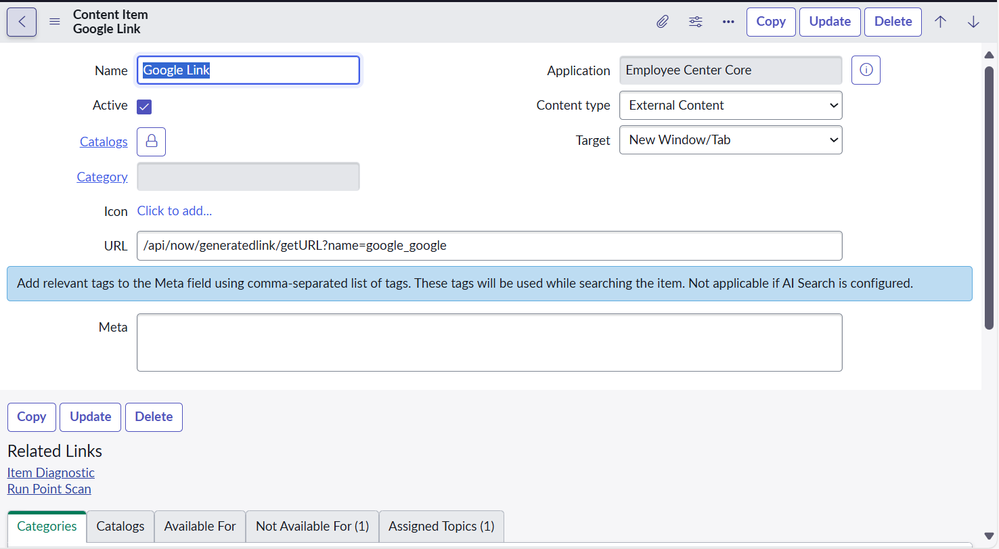
Now that we've set up a Generated Link in Link Generator, let's take a look at some ways to use it.
I talked about Content Types in a prior post. One of the types in there was Content Item records in the sc_cat_item_content table that are tagged as External. The API from Link Generator can be added to these items as the URL to create a new item to point outside the platform.

That created item can then be tied to a Taxonomy Topic through Connected Content.

It would then be thrown into the mix with other catalog items and can be featured if needed.

Another way of using this is through a Quick Link on a Topic page. These links show up to the right of the primary content widget when the Topic page is rendered.

You would add a new Quick Link to the Topic and select the Content type of External link. This uncovers the field of the same name on the right side of the page.

Add a new External link and set it up with the Generated Link API as the URL. This field allows just the API, but you'll run into others that require a fully formatted URL and you'll need to include the instance name there.

Once that's complete, a new Quick Link will show up on the right side of the Topic page and open our Search Page link in a new browser tab.

https://www.servicenow.com/community/employee-center-blog/link-generator-in-use/ba-p/3410663