
Favorites Content Types - Content
 New article articles in ServiceNow Community
·
Oct 21, 2025
·
article
New article articles in ServiceNow Community
·
Oct 21, 2025
·
article
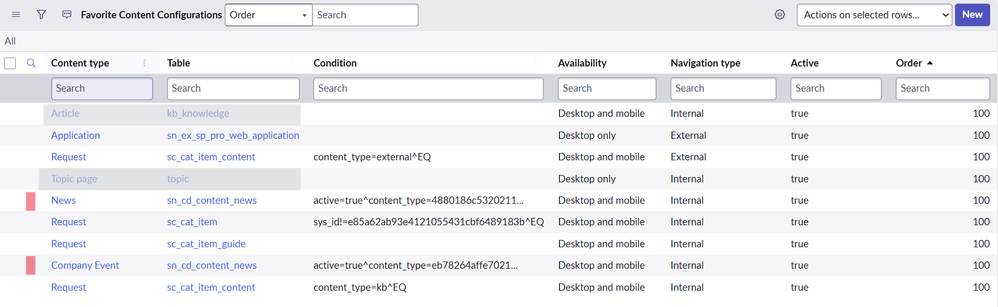
In my last post, I ran through the Request types that were eligible to be saved as Favorites on Employee Center. Now I'll move onto the final group of Favorites Content, the portal content items that sit in the sn_cd_content_news table. The items in this table that are able to be favorited are defined as either News or Company Events based on Content Type.

While both sets of items are sitting in the sn_cd_content_news table, opening the records directly there won't be the easiest way to update them. They are best served being accessed through the left navigation menu in Create New or View All under Content Library. Using the all in one content builder lets you create the content itself and then add a publishing plan at the same time.


Once either type of record is created, then updated with a publishing schedule and activated, they will display in the Latest News and Events widget on the main page of Employee Center.

These items can be opened by clicking on the tile directly or going in through the "Go to news and events" page. Either way you access it eventually just opens the Event or Article. Once the item is open, users will have the ability to Favorite the item with the heart icon just as they would anything else.


Once favorited, they will show up in My Favorites page under the News or Company Event section.

https://www.servicenow.com/community/employee-center-blog/favorites-content-types-content/ba-p/3409463