
Webhooks in Action: Understanding Adobe Sign - ServiceNow Integration.
 New article articles in ServiceNow Community
·
Sep 28, 2025
·
article
New article articles in ServiceNow Community
·
Sep 28, 2025
·
article
Hello Community,
Have you heard of webhooks? Have you ever configured one? If not, let’s explore what they are and how they work - using a practical example.
What are webhooks?
Simply put, webhooks are defined HTTPS Requests that allow one system to automatically notify another in real time when a specific event occurs. (Like a Push service)
Example: Real-time payment confirmation.
When can we use Webbook: As long as the target system (Service) can accept POST and GET requests and Source system provides Webhooks capability, this can be configured.
Let’s understand this with an example by configuring a webhook in Adobe Sign. We’ll send event details to ServiceNow from Adobe when a PDF is signed and trigger a notification to the signing manager, informing them that a document has been signed. -- > This does not use any ServiceNow Plugins like Adobe Sign, They do have the same logic behind the scenes.
Step 1: Get a free Developer Adobe Acrobat sign account by registering here :
https://www.adobe.com/acrobat/business/developer-form.html
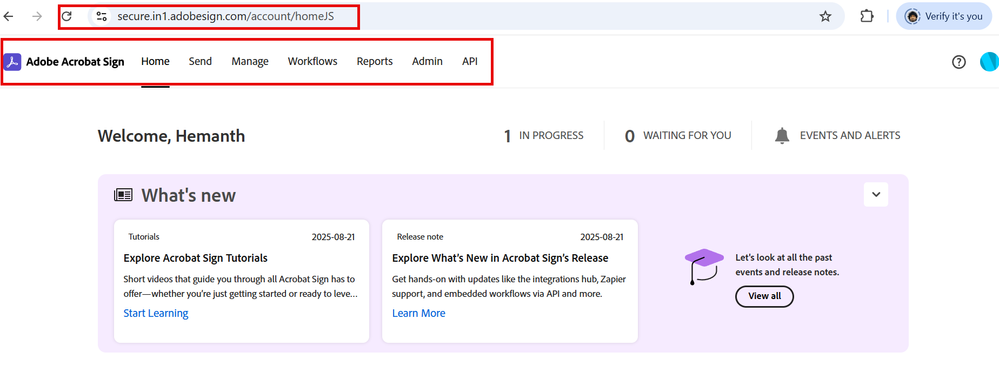
Step 2: Once you get the account details, login, you would land on the below page:

Step 3: Go to Admin > Navigate to Webhooks

Step 4: Click to create a new Webhook

Step 5: Lets understand each details here

Step 6: Before setting up a ServiceNow endpoint, we need to understand the setup below. This is on the Adobe site as a webhook overview.
We will create an endpoint that will have one GET request (to send the ClientID echo) and a POST request to receive the events triggered from Adobe.

Step 7: Now lets head back to ServiceNow to configure a URL which adobe can talk to.

Step 8: Create a GET request to retrieve headers and send the same ClientID received from Adobe - This is to validate the URL
Make sure "Require Authentication" is unchecked, since the connection uses the ClientID for validation and expects the same ID in response(you can store this in ServiceNow and validate against requests each time). Also, if your security policy explicitly allows certain IP addresses on your network, please ensure they are permitted

Step 9: Let's go to Adobe to create a webhook using this URL.

Step 10: Event log triggered from the Adobe webhook.

Step 11: Lets create a POST endpoint to receive event details and Configure a Subflow to send an email to the manager when Signed.

Subflow : Takes Name, Email and Document as inputs and Send email.

Step 12: Lets create a document, send to the user.(On the Adobe dev site)

Lets Preview and send the document for signature

Step 13: Lets see how it works now 😍
Signer received the email to review and sign:

Sign the document:

Step 14:
Document details received with status

Flow Execution details :

Thank you,
Hemanth
Certified Technical Architect (CTA), ServiceNow MVP 2024, 2025
My other articles :
ServiceNow Smart Assessment Simplified: A Step-by-Step Practical Guide!
Take Control of Your flow Designer Flow Variables- Practical Example #1 Reference Type
Script Action: A Practical Example!
A Quick Guide to Adding a Wizard Section to a Catalog Item in Catalog Builder!
Set different “From” and “Reply To” emails for the Native and Flow designer Emails/Notifications.
Read .CSV formatted files in ServiceNow
Automate Assessment/Survey Testing with ATF(Including Multiple Option,Attachments &Reference fields)
Set up interactive filter on UI builder (for data visualization reports and List records)
Set Up "Step Based Request Fulfillment" for Catalog Items
Need to know about Schedules and Define them in SLAs
My ServiceNow Share Projects:
Return Assessment Feature in ServiceNow
Add signature and update fields to a fillable PDF document
Get Record URL action in the flow designer (Use it in the Send Email action)
https://www.servicenow.com/community/developer-articles/webhooks-in-action-understanding-adobe-sign-servicenow/ta-p/3392254