
Applet Launcher - User Criteria!!!
 New article articles in ServiceNow Community
·
Aug 27, 2025
·
article
New article articles in ServiceNow Community
·
Aug 27, 2025
·
article
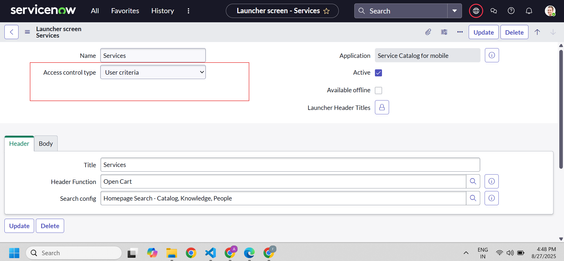
User criteria is available for "Applet Launchers" with Xanadu release on "Now" and "Agent" mobile app.
This was a long pending demand from many organizations, earlier the applet launcher's visibility was only controlled by roles. Now with the User criteria the applet launcher visibility can be controlled based on :
- User
- Group
- Location
- Department
- Company
- Roles
- Script for advanced conditions.
Steps:
1. Open any applet launcher from "sys_sg_applet_launcher" table.
2. Change the "Access control type" to user criteria from instead of roles and save the record.

3. Select the User criteria applicable for applet launcher in the "User Criteria Mappings "related list .

4. You can apply more than one user criteria as well.
nowmobile #agentmobile #usercriteria
View original source
https://www.servicenow.com/community/agent-chat-routing-and-sidebar/applet-launcher-user-criteria/ta-p/3363440