
Service Operations Workspace - How to add/edit the fields on the record header?
 New article articles in ServiceNow Community
·
Aug 11, 2025
·
article
New article articles in ServiceNow Community
·
Aug 11, 2025
·
article
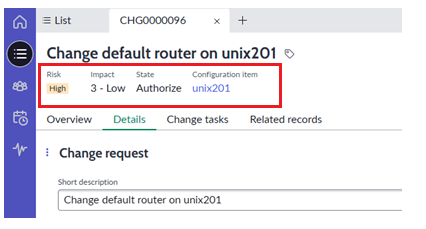
In this article, we will see how to add/edit the fields on the record header.

➡️ In Application navigator, search for "Workspace Form Headers" and search for the respective table to add/edit the fields.

➡️ In this article lets consider 'Change Request', search for "change_request" table and make sure the application is "Change Management for Service Operations Workspace". The field values on the header appear only if they hold the value(s).
Note: Before doing any changes, make sure you are on the respective scope and update set.


➡️ Lets add a field "number" to display the change request number on the header. Create a new secondary value record with order and condition (if required).

RESULT(S):

Note: By default, the form header record is inactive for "Incident" module so avoid creating a new one.


Kindly mark this article as "Helpful" if this resolves your query.
ServiceNow #ServiceNowCommunity #ServiceOperationsWorkspace #SOW
https://www.servicenow.com/community/service-operations-workspace/service-operations-workspace-how-to-add-edit-the-fields-on-the/ta-p/3348188