
How to grant "Time-limited" roles
 New article articles in ServiceNow Community
·
Sep 04, 2024
·
article
New article articles in ServiceNow Community
·
Sep 04, 2024
·
article
Over the years I have faced many times the following question "How could we grant a role for a given period of time only?". Given it is a very common question ServiceNow have released this brand new feature as of the Washington release.
Granting time-limited roles
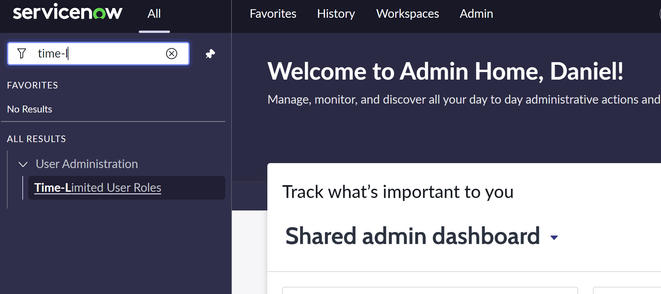
The first thing we must do is go to "All > User Administration > Time-Limited User Roles":

Once we are there, we can create a new entry:

Bear in mind the only OOB roles available are "admin", "snc_read_only" and "impersonate". The documentation doesn't seem to mention this but I found this can be changed in a property called "glide.security.timelimited.roles.allowed_roles". All you have to do is add the new role to the list containing the previously mentioned roles and that will display your role there.
Also, it must be mentioned that the role will not be added to the tab under the user mentioning which roles this user has given this feature doesn't add a new entry to that table.
Other potential usage this can be given
With a simple integration, production instances could integrate with dev and test instances to create entries in this table to grant temporary access to developers or testers if they are not permanent stuff. For instance, if a third-party consultant needs access to perform some investigation or changes in the development instance, this feature could be really useful.
Like and share
If this post helped you please remember to lick on "Like" and feel free to share it with anyone who could be interested 
https://www.servicenow.com/community/in-other-news/how-to-grant-quot-time-limited-quot-roles/ba-p/3035685