
CCM - Perform smart asessment on action task and returns incorrect setup? Here's why
 New article articles in ServiceNow Community
·
Jul 29, 2025
·
article
New article articles in ServiceNow Community
·
Jul 29, 2025
·
article
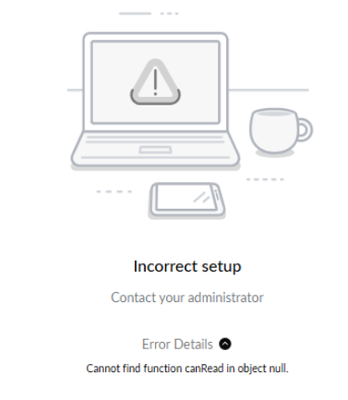
If you try to follow the steps in the https://www.servicenow.com/docs/auth/login/?redirect=%2Fbundle%2Fyokohama-governance-risk-compliance%2Fpage%2Fproduct%2Fgrc-compliance-case-mgmt%2Ftask%2Fperform-smart-assessment-on-action-task.html, you will find out that despite being triggered as expected, the assessment couldn't be launched. The assessments were correctly generated upon task assignment, but attempting to view or take the assessment resulted in an error: "Incorrect setup".

Root cause
The assessment was created in Global scope.
Resolution
We need to ensure any assessment you create is Compliance Case Management Scope and not global. I've raised ServiceNow support (CS8051166) to ensure everyone can make use of this feature in the future if needed.
Steps to Reproduce
- In Assessment Workspace, create a new template:
- Name: Security Incident Questionnaire
- Category: Compliance Case Assessment
- Target table: Compliance Case
- Assessment Reader Role:
sn_comp_case.compliance_case_business_user
- Name: Security Incident Questionnaire
- Navigate to All > Case Types
- Open Compliance Case or any active case type
- In the Assessment Configuration, select Compliance Questionnaire
- Go to Compliance Case Workspace
- Open any record with type = Compliance Case
- Create an Action Task and enable Smart Assessment
- Move the task to Assigned to trigger the assessment
- Click View Assessment — error appears when attempting to take the assessment
https://www.servicenow.com/community/grc-articles/ccm-perform-smart-asessment-on-action-task-and-returns-incorrect/ta-p/3337115