
Protecting Sensitive Data in Generative AI: How to Use Data Privacy for Now Assist
 New article articles in ServiceNow Community
·
Jul 08, 2025
·
article
New article articles in ServiceNow Community
·
Jul 08, 2025
·
article
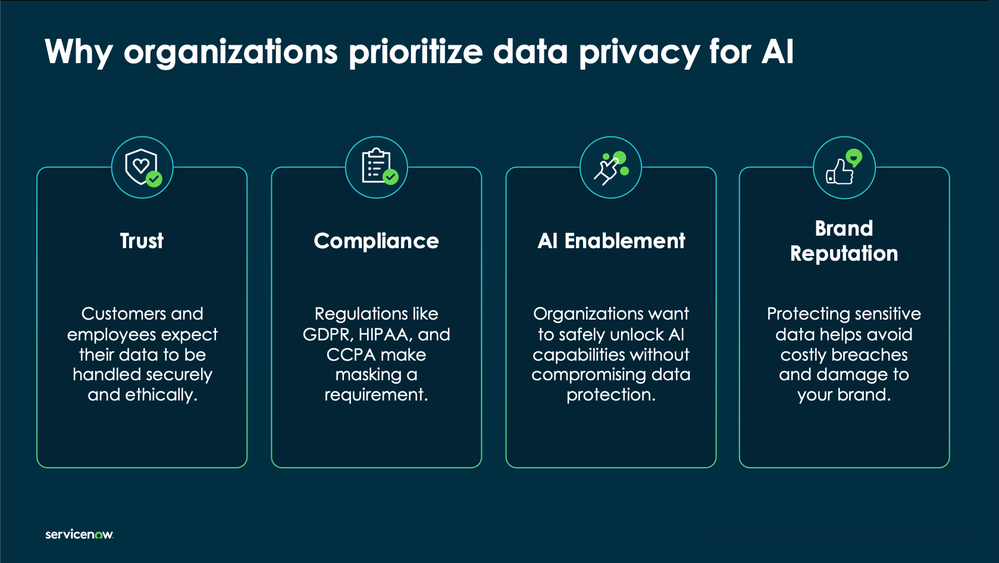
Sensitive data protection has always been a top priority for our customers. But with the rise of generative AI, the dynamics have changed. Now, data submitted in prompts may leave the instance for external model processing (i.e., data in transit), even if only momentarily, and that raises new questions:
- How is sensitive data protected before it's sent?
- Can admins control what’s masked?
- What about model training?
These aren’t just theoretical concerns. Many customers are using Now Assist to generate summaries of incidents, resolve HR cases, or help agents respond faster in customer service. And those prompts often contain sensitive details — names, emails, employee IDs, or even financial data. That’s why we built Data Privacy for Now Assist — to give you control over what data is shared and how it’s protected.
Why Data Privacy Matters in GenAI
Traditional platform features like Access Control Lists (ACLs) and encryption protect stored data. But GenAI introduces a new workflow — inference — where data is actively processed by a model (ServiceNow's Now LLM Service, an OEM provider, or BYO LLM). Even though this is stateless and encrypted with TLS 1.2, we now need to think about data leaving the instance in flight.
For example:
- An IT agent asks Now Assist: “Summarize this incident submitted by James Sloan: User reports that after the recent laptop reimage, VPN fails to connect when off-network (IP: 192.168.1.25). Issue began after upgrade to macOS 14.2. Contact: james.sloan@example.com, (415) 555-0198."
- An HR manager types: “What’s the status of Maria Ruiz’s parental leave request? She submitted doctor’s documentation on 6/12 and noted planned return after 12 weeks. She’s 41 years old and works remotely from Chicago. Contact: maria.ruiz@example.com, 312-555-0144.””
These prompts are natural and useful, but they contain personally identifiable information (PII) that shouldn't be sent in raw form. That’s where real-time masking comes in.

What Is Data Privacy for Now Assist?
Data Privacy for Now Assist is a built-in privacy layer integrated with the Generative AI Controller that masks sensitive data in prompts and responses before data leaves your instance and any GenAI inference occurs. It applies across:
- Now Assist experiences
- AI Agents
- Now Assist Virtual Agent
- Custom skills built with Now Assist Skill Kit
- Skill and AI Agent evaluation using Now Assist Skill Kit
You define what’s considered “sensitive” using pattern rules or templates — things like names, email addresses, national ID numbers, phone numbers, and more. ServiceNow provides a set of out-of-the-box masking patterns to help you get started quickly, and you can configure or extend these patterns to meet your organization's specific needs.
These rules are applied in real time, before any prompt is routed to a model provider for inference, and they apply consistently across Now Assist skills, Now Assist Virtual Agent, and AI Agents.
See the product documentation for a list of Data Channels that can be configured for GenAI masking.

Example: What Gets Sent to the Model?
Let’s look at a typical masked prompt flow:
| Prompt Stage | Example Content |
|---|---|
| Original prompt in the customer's instance | “Close the incident submitted by user ashley@example.com, SSN 123-45-6789, card is 4111-1111-1111-1111.” |
| Masked prompt in the Generative AI Controller sent to the LLM | _“Close the incident submitted by user GAIC_00FA3A825jane.doe@example.com, SSN _GAIC_00FA3A826xxxxxxxx, card is GAIC_00FA3A827**** **** **** 1111.” Example is using various technqiues. |
| What the LLM sees during inference | Masked prompt only — no raw sensitive data ever leaves your instance. |
| What the user sees when the response is returned to the instance | Original prompt values restored at runtime for display — inside the customer's instance. |
ServiceNow provides multiple masking techniques to give customers flexibility based on the type of sensitive data being protected and the context of the prompt. These techniques can be mixed and matched depending on what’s most appropriate for the use case. Here are some examples of common techniques:
Synthetic Replacement
- What it does: Replaces sensitive terms like emails, or employee IDs with synthetic but human-readable placeholders (e.g., “user@example.com”).
- When to use:
- When prompts are routed to an LLM and context is still important for output quality.
- For example, HR managers summarizing employee cases often need the sentence structure to remain intact so that the model understands relationships or actions.
- Helps maintain coherence for generative responses while ensuring that no actual user data leaves the instance.
- When prompts are routed to an LLM and context is still important for output quality.
Example:
“Update the case for user maria.ruiz@example.com”
→ “Update the case for user jane.doe@example.com”
Static Value Replacement
- What it does: Replaces a field with a non-inferable, static value (e.g., replacing any SSN with “999-99-9999” or ZIP code with “00000”).
- When to use:
- When you want to remove all semantic relevance from the value to avoid any chance of accidental retention or misuse.
- Especially useful for fields where the structure matters for parsing, but the content has no bearing on the output.
- When you want to remove all semantic relevance from the value to avoid any chance of accidental retention or misuse.
Example:
“SSN is 123-45-6789”
→ “SSN is 999-99-9999”
Partial Replacement with Xs
- What it does: Obscures portions of a value using wildcard characters (e.g., “--****-1111”).
- When to use:
- This is common in ITSM or CSM workflows, where agents refer to the last few digits of a credit card, account number, or phone number.
- Lets users recognize which data the model is referring to while still hiding the full value.
- This is common in ITSM or CSM workflows, where agents refer to the last few digits of a credit card, account number, or phone number.
Example:
“Card number 4111 1111 1111 1111”
→ “Card number **** **** **** 1111”
For a full listing of data privacy techniques, see this product documentation.

Here is a sample list of techniques and what the output would look like when using Data Privacy for Now Assist:
| Privacy Technique | Input Request | Output Response |
|---|---|---|
| SDH - Left to right 7 characters with * | "My SSN number is 303-81-0470" | "My SSN number is GAIC_00FA3A825E*******0470" |
| No Action | "My SSN number is 303-81-0470" | "My SSN number is GAIC_00FA3A825E303-81-0470" |
| Random Replace | "My SSN number is 303-81-0470" | "My SSN number is GAIC_00FA3A825Em8MkdHSs3j8" |
| Remove | "My SSN number is 303-81-0470" | "My SSN number is GAIC_00FA3A825E" |
| Selective Replace | "My SSN number is 303-81-0470" | "My SSN number is GAIC_00FA3A825E***********" |
| Select Replace From Start or End | "My SSN number is 303-81-0470" | "My SSN number is GAIC_00FA3A825E*****1-0470" |
| Selective Replace with x (Data Discovery Default) | "My SSN number is 303-81-0470" | "My SSN number is GAIC_00FA3A825Exxxxxxxxxxx" |
| Static Replace | "My SSN number is 303-81-0470" | "My SSN number is GAIC_00FA3A825ETEXT123" |
| Synthetic Data Anonymization | "My SSN number is 303-81-0470" | "My SSN number is GAIC_00FA3A825E355-02-7481" |
What’s the Difference Between Inference and Training?
A common source of confusion when it comes to GenAI is how the model “learns” — and whether it learns from your data. Let’s break it down:
Inference
This is what happens every time someone uses Now Assist.
- You type a prompt (e.g., “Summarize this incident”), and the model gives you a response.
- That’s inference — a real-time interaction between your prompt and a pre-trained model.
- It’s stateless, meaning the model doesn’t remember your input or use it to improve itself.
- The prompt is processed, a result is returned, and that data is discarded after response generation.
Think of it like using a calculator — it gives you an answer, but it doesn’t learn from your math problems.
Training
Training is what happens behind the scenes, offline, and with curated datasets.
- It’s how models like the Now LLM learn how to write summaries, respond to requests, or interpret questions.
- At ServiceNow, we never use your data for training unless you explicitly opt in.
- Even when opted in, we only use prompts and responses that have already been masked and anonymized using Data Privacy for Now Assist.
This distinction is critical for regulated customers, IT leaders, and governance stakeholders. Inference is your day-to-day usage. Training is what builds the model, and it only happens when and how you say so.

For more information on our data sharing programs and model development, see KB1648406 Data Sharing Programs and AI Model Development. (Requires Support login)
How Masking Fits with Role-Based Access Control (RBAC) and Retrieval-Augmented Generation (RAG)
Many customers ask how masking compares to other data controls. Here’s how they all work together:
| Feature | What It Does | Example |
|---|---|---|
| Data Privacy / Masking | Obscures sensitive data before it reaches the LLM | Replaces “ssn: 123-45-6789” with “ssn: 999-99-9999” in the prompt |
| Role-Based Access Control (RBAC) | Controls which records or fields a user is allowed to access | An HR agent can view leave of absence cases, but a facilities agent cannot |
| Retrieval-Augmented Generation (RAG) | Limits which knowledge base or documents the model can pull from | A GenAI skill can reference only IT policies based on the user or AI Agent's roles/user criteria that triggered the GenAI request, not internal financial documents |
These tools complement each other but solve different privacy and access challenges:
- Masking protects the content of a prompt when it’s submitted (or extracted for training), including emails, phone numbers, case notes, or PII defined in your data patterns.
This is your last-mile protection layer before a model processes the data. - RBAC ensures the user never sees records they shouldn’t — it enforces access boundaries within the platform, long before a prompt is even written.
It prevents leakage or misuse by restricting who sees what. - RAG defines what reference material a model can use when answering, such as limiting the Virtual Agent to IT knowledge articles only.
It narrows the universe of content the model can pull from during generation.
How does this all work together? Let’s say a Now Assist skill helps summarize leave requests.
- RBAC ensures that only authorized HR users can access those cases.
- Data Privacy for Now Assist ensures that sensitive data inside the case — like medical notes, phone numbers, or employee IDs — is masked before it's sent to the GenAI model based on configured data patterns.
- RAG ensures the GenAI model only references approved HR policy articles that the user or AI Agent trigger user can access, not irrelevant or sensitive sources.
Together, these controls provide layered protection across identity, content, and retrieval, which is essential for enterprise-grade GenAI.

How to Enable Data Privacy for Now Assist in Your Instance
For an overview and walkthrough, see the product documentation on how to enable Data Privacy for Now Assist and this AI Academy video. (Coming soon)
No matter how you're using GenAI in ServiceNow — summarizing incidents, supporting HR cases, building custom flows — the principles stay the same:
- Sensitive values are masked before prompts leave your instance
- Inference is stateless, with no learning unless you opt in
- Data privacy rules, RBAC, and RAG all work together to give you fine-grained control
This approach lets you unlock the benefits of GenAI while staying confident in how your data is protected by design.
https://www.servicenow.com/community/now-assist-articles/protecting-sensitive-data-in-generative-ai-how-to-use-data/ta-p/3307774