
UI Builder - Control visibility of 'Side navigation' Pages
 New article articles in ServiceNow Community
·
Jul 01, 2025
·
article
New article articles in ServiceNow Community
·
Jul 01, 2025
·
article
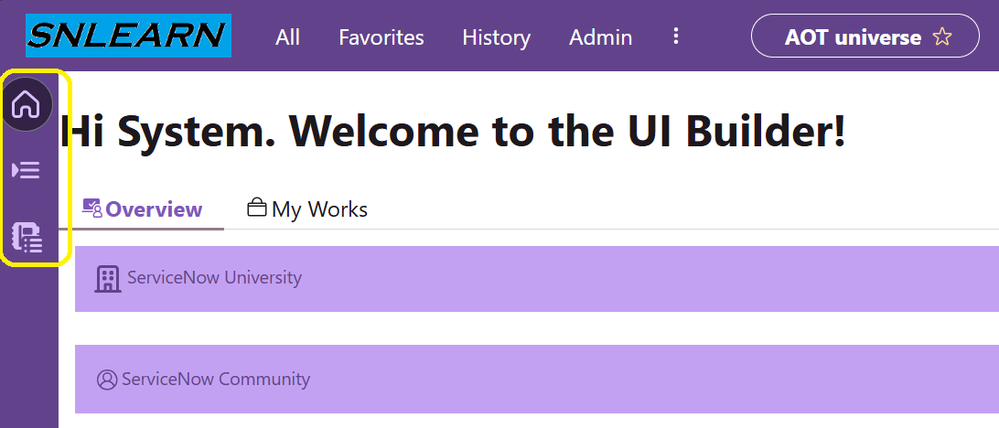
In this article, we will see how to restrict the visibility of Side navigation in Workspace:

The name of the Side navigation pages are:

Requirement(s):
- Home should be visible to all.
- List should be visible to users either with 'itil' or 'admin' roles.
- Priority Action should be visible to users with both 'admin' and 'itil'
Setup:
- Navigate to 'Now Experience Framework' > Experiences
- Search for workspace in name field
- Open the record and go to related list > UX Page Properties > chrome_toolbar

Initial JSON:
[ { "id": "home", "label": { "translatable": true, "message": "Home" }, "icon": "home-outline", "routeInfo": { "route": "home" }, "group": "top", "order": 100, "badge": {}, "presence": {}, "availability": {}, "viewportInfo": {} }, { "id": "record-list", "label": { "translatable": true, "message": "List" }, "icon": "list-marker-fill", "routeInfo": { "route": "record-list" }, "group": "top", "order": 100, "badge": {}, "presence": {}, "availability": {}, "viewportInfo": {} }, { "id": "priority-actions", "label": { "translatable": true, "message": "Priority Actions" }, "icon": "journal-list-fill", "routeInfo": { "route": "priority-actions" }, "group": "top", "order": 200, "badge": {}, "presence": {}, "availability": {}, "viewportInfo": {} } ]
For 1st Case, No Changes required.
For 2nd Case, The changes in the JSON will be as below:
{ "id": "record-list", "label": { "translatable": true, "message": "List" }, "icon": "list-marker-fill", "routeInfo": { "route": "record-list" }, "group": "top", "order": 100, "badge": {}, "presence": {}, "availability": { "roles": [ "itil,admin" ] }, "viewportInfo": {} },
If either of role is present then the side navigation page will be visible.
"roles": [ "itil,admin" ]
For the 3rd Requirement, updated JSON:
{ "id": "priority-actions", "label": { "translatable": true, "message": "Priority Actions" }, "icon": "journal-list-fill", "routeInfo": { "route": "priority-actions" }, "group": "top", "order": 200, "badge": {}, "presence": {}, "availability": { "roles": [ "itil,admin" ] }, "viewportInfo": {} }
User should have both the roles in order to view the side navigation page:
"roles": [ "itil,admin" ]
Final JSON of chrome_toolbar:
[ { "id": "home", "label": { "translatable": true, "message": "Home" }, "icon": "home-outline", "routeInfo": { "route": "home" }, "group": "top", "order": 100, "badge": {}, "presence": {}, "availability": { "roles": [ "itil,admin" ] }, "viewportInfo": {} }, { "id": "record-list", "label": { "translatable": true, "message": "List" }, "icon": "list-marker-fill", "routeInfo": { "route": "record-list" }, "group": "top", "order": 100, "badge": {}, "presence": {}, "availability": {}, "viewportInfo": {} }, { "id": "priority-actions", "label": { "translatable": true, "message": "Priority Actions" }, "icon": "journal-list-fill", "routeInfo": { "route": "priority-actions" }, "group": "top", "order": 200, "badge": {}, "presence": {}, "availability": { "roles": [ "itil","admin" ] }, "viewportInfo": {} } ]

ITIL users are not able to view the Priority Action as both the roles condition is not satisfied.
_____________________________________
That's it for this article, Hope it helps!
https://www.servicenow.com/community/developer-articles/ui-builder-control-visibility-of-side-navigation-pages/ta-p/3305768