
EAP Home tab - Dashboard Not found error - Yokohama onwards
 New article articles in ServiceNow Community
·
Jun 20, 2025
·
article
New article articles in ServiceNow Community
·
Jun 20, 2025
·
article
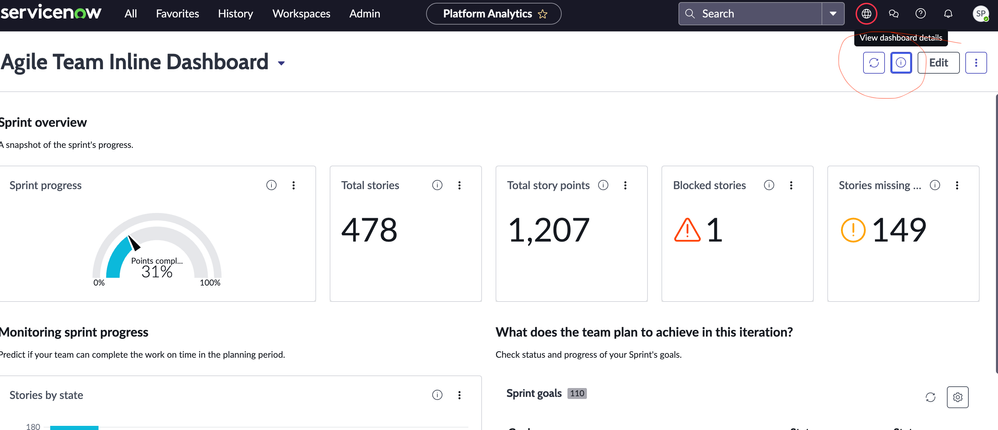
Issue
From Yokohama onwards, Platform analytics has made it mandatory to share a dashboard with the workspace in order to view it in the workspace.
Resolution steps:
1. Navigate to Platform Analytics -> Dashboards.
2. Select the custom dashboard you have created.
3. Click on i icon button besides refresh button on dashboard header top right pane.

4. In "Dashboard visibility" section, add your workspace where this dashboard is being used. By default, only "Platform Analytics" workspace is selected.

View original source
https://www.servicenow.com/community/spm-articles/eap-home-tab-dashboard-not-found-error-yokohama-onwards/ta-p/3292485