
Set Catalog Variables from URL Params (Free tool)
I've had this question come up over and over again in my career:
How do we populate variables on a catalog item or record producer, from the URL?
There are a number of reasons why you might want to do this - for example, imagine you have a generic access request catalog item that lets you choose a group, enter the business justification, and request access to that group.
If you then have a knowledge article about “how to get access to [some system]” that involves filling out that access request form, and requesting to be added to a specific group, you might want to include a link that takes you directly to that catalog item, and pre-populates the relevant variable for you!
There are a couple of ways to do this, but I’ve always only found one-off solutions that require custom code for each and every catalog item, which also means that you have to know in advance, when designing the catalog item, what variables might be specified by URL, their data types, etc.
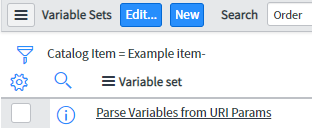
I got tired of re-engineering the same basic solution over and over again, so I built a generalized tool that should handle all of these potential scenarios. This tool adds to your system, a Variable Set. This variable set contains a catalog client script, but no actual variables (this is expected). The variable set is called “Parse sysparm_variables URI param”.
Once you’ve added the variable set to a given catalog item, you can populate any one or more variables in that catalog item, simply by manipulating the URL.
Simply add a single URI parameter (sysparm_variables) to the URL for any catalog item, and set its value to a JSON-encoded string, with each variable you'd like to populate, and its value.
You can specify any number of variables and values in this JSON object, as long as you encode any illegal characters (which most browsers will do for you automatically).
Once you've added the "variable set" containing the necessary script to a catalog item, the exact same sysparm_variables URI parameter, will work for URLs pointing to both the portal, and the classic UI:
https://INSTANCE.service-now.com/com.glideapp.servicecatalog_cat_item_view.do?sysparm_id=b42ad20a3738630090b68cf6c3990e5b&sysparm_variables={"example_user_reference":"5137153cc611227c000bbd1bd8cd2005"}
Additional detailed documentation, and the download link for this free tool is available at the link below, or you can find it by going to Tools > Set Catalog Item Variables from URL in the navigation bar at the top of this site.
- March 2024
- February 2024
- Feb 12, 2024 5 Lessons About Programming From Richard Feynman
- July 2023
- May 2023
- April 2023
- December 2022
- Dec 13, 2022 ServiceNow Developers: BE THE GUIDE!
- October 2022
- August 2022
- March 2022
- February 2022
- May 2021
- April 2021
- February 2021
- November 2020
- Nov 17, 2020 SN Guys is now part of Jahnel Group!
- September 2020
- July 2020
- January 2020
- Jan 20, 2020 Getting Help from the ServiceNow Community
- December 2019
- November 2019
- April 2019
- March 2019
- February 2019
- Feb 27, 2019 Making Update Sets Smarter - Free Tool
- November 2018
- October 2018
- September 2018
- July 2018
- Jul 23, 2018 Admin Duty Separation with a Single Account
- June 2018
- May 2018
- May 29, 2018 Learning ServiceNow: Second Edition!
- April 2018
- March 2018
- February 2018
- Feb 11, 2018 We have a new book!
- November 2017
- September 2017
- Sep 12, 2017 Handling TimeZones in ServiceNow (TimeZoneUtil)
- July 2017
- June 2017
- May 2017
- April 2017
- March 2017
- Mar 12, 2017 reCAPTCHA in ServiceNow CMS/Service Portal
- December 2016
- November 2016
- Nov 10, 2016 Chrome Extension: Load in ServiceNow Frame
- September 2016
- July 2016
- May 2016
- May 17, 2016 What's New in Helsinki?
- April 2016
- March 2016
- February 2016
- January 2016
- December 2015
- October 2015
- August 2015
- Aug 27, 2015 Easily Clone One User's Access to Another User
https://snprotips.com/blog/2019/4/4/set-catalog-variables-from-url-params-free-tool