
Resource Assignment ready for Resource Manager review
 New article articles in ServiceNow Community
·
Nov 11, 2024
·
article
New article articles in ServiceNow Community
·
Nov 11, 2024
·
article
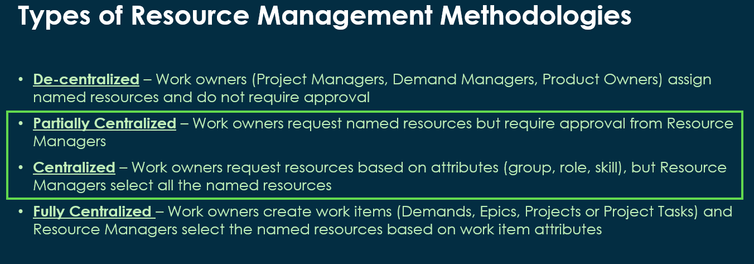
Organizations following Partially-Centralized and/or Fully-Centralized resource management methodologies may want to signal to resource managers when a resource assignment is ready for review.

This article describes a proposed solution to support this use case.
The proposed solution requires configuration, as such, there is no liability for ServiceNow to provide support, apply changes, fix defects and review impact during future upgrades.
- Create new field at Resource Assignment table
- Table: Resource assignment [sn_plng_att_core_resource_assignment
- Type: Choice
- Colum label: Ready for review
- Colum name: u_ready_for_review
- Default Value: n


- Choices
- No
- Yes
- No

- Add new field in Resource Assignment lists
- View: Default
- Make the field available in the form lists
- View: Default

- Add new field in Resource Management Workspace
- View: Resource Manager
- Make the field available in RWM top grid
- View: Resource Manager

- View: Resource Unassigned
- Make the field available in RWM bottom grid

- Reset columns in Resource Management Workspace to have the new field available


- Add new field in the Project Workspace
- View: Project Workspace
- Make the field available in new Project Workspace
- View: Project Workspace

- Reset columns in Project Workspace to have the new field available

View original source
https://www.servicenow.com/community/spm-articles/resource-assignment-ready-for-resource-manager-review/ta-p/3101479