
How to Display a Portal Page with Widgets Inside Now Mobile 🌐
 New article articles in ServiceNow Community
·
Mar 26, 2025
·
article
New article articles in ServiceNow Community
·
Mar 26, 2025
·
article
As a ServiceNow developer, you may want to surface an existing portal page that already includes custom widgets inside the Now Mobile experience. Embedding task tracking, visual dashboards, or vendor-specific views into the mobile app can significantly improve accessibility and engagement.
📲 Steps to Link a Portal Page to Now Mobile via Applet
- Open the Mobile App Builder module in the ServiceNow instance.
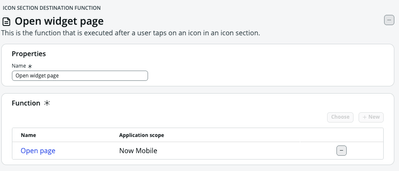
- Create a New Applet (in my example, I use the Quick Links icon section to add a new icon to open a page with the System Status OOTB portal page).
- Choose Function + URL as the applet type.
- In the URL field, enter:
$sp?id=[portal_page_name]
🔹 Example:
$sp?id=services_status``
This dynamic URL links directly to your portal page and loads it inside the mobile web container.


Final result:
Opening the System Status portal page in Now mobile.


View original source
https://www.servicenow.com/community/mobile-apps-platform-articles/how-to-display-a-portal-page-with-widgets-inside-now-mobile/ta-p/3218835