
Status Reports in Project Workspace: Templates and Dynamic Tokens Customising
 New article articles in ServiceNow Community
·
Mar 13, 2025
·
article
New article articles in ServiceNow Community
·
Mar 13, 2025
·
article
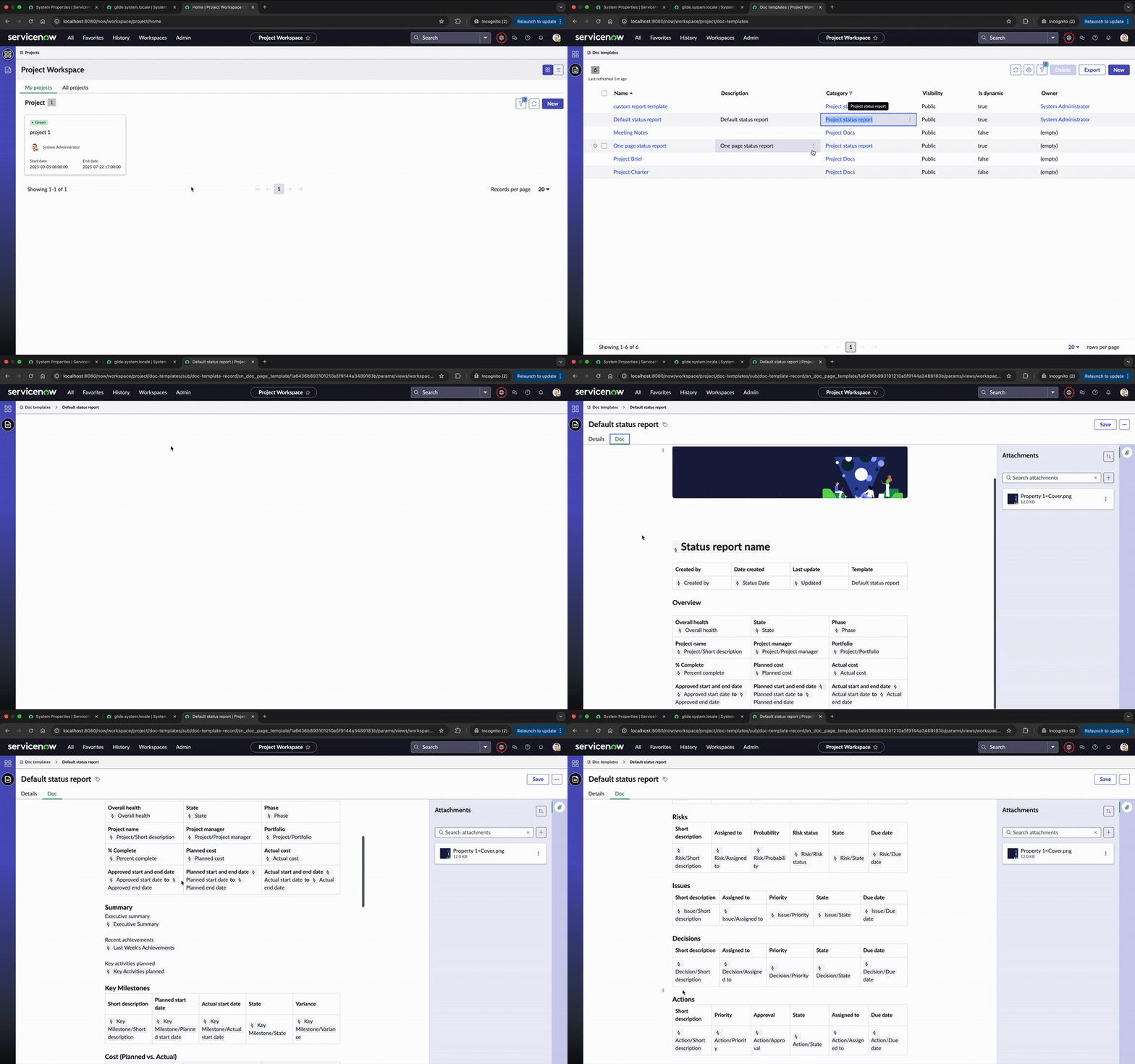
Creating and Customising Status Reports and templates with Dynamic Tokens in Project Workspace
Effective project management relies heavily on timely and accurate status reporting, and Project Workspace offers a powerful solution by allowing users to create and customise status reports using dynamic tokens, which automate data insertion and streamline the reporting process.
This article guides you through creating and customising status reports and templated in Project Workspace, focusing on default templates, creating new templates with dynamic tokens, and understanding the script includes behind these reports.
Default Status Reports
Project Workspace provides default status report templates that can be accessed through the "Doc Templates" section from L1 menu. These templates include dynamic content that uses tables such as project status, risks, issues, decisions, and actions. Users can create new status reports using these templates, which automatically creates data for dynamic tokens based on records.

Creating a Status Report using default template
To create a new status report in ServiceNow, navigate to the Project Workspace, open the specific project, and go to the Status Report section. From there, select "Create Status Report" and choose the "Create New from Template" option. You will then be prompted to select a template for the report. Once the template is selected, the status report is generated within minutes, with all values populated automatically using dynamic tokens. These tokens are replaced with real-time project data, such as project name, status, milestones, due dates, and other relevant details.

Creating a New Template and using Dynamic tokens
To create a new template in ServiceNow, navigate to Docs Templates from the L1 menu. Once there, users can select the "New" option and ensure that the category is set to "Project Status Report." It's important to enable the "Is Dynamic" checkbox to allow the use of dynamic tokens. Users can then add dynamic content such as project details and tables by typing / and selecting "Insert Dynamic Content." From there, they can choose the appropriate dynamic tokens to insert, which will automatically populate with real-time project information when the template is used. Additionally, users can create tables and provide the necessary details within the template, ensuring that the report has a structured format and all relevant data is included. This feature simplifies the reporting process by automating data insertion.

Creating new status report using custom template

Scripting and Data Generation
The dynamic tokens during status report template creation is generated by script include "ProjectWorkspaceStatusReportUtil". Script include "StatusReportDynamicTemplateDataProvider," play a crucial role in generating status report data during report creation by fetching details for dynamic tokens and populating the reports accordingly.
Customisation and Script Modification
Users can customise the reports by modifying the script includes according to their business logic. This allows for flexibility in what tables and data are included in the dynamic content.
By following these steps, users can effectively create new templates and customise status reports in Project Workspace.
Thank you 😊
https://www.servicenow.com/community/spm-articles/status-reports-in-project-workspace-templates-and-dynamic-tokens/ta-p/3202234